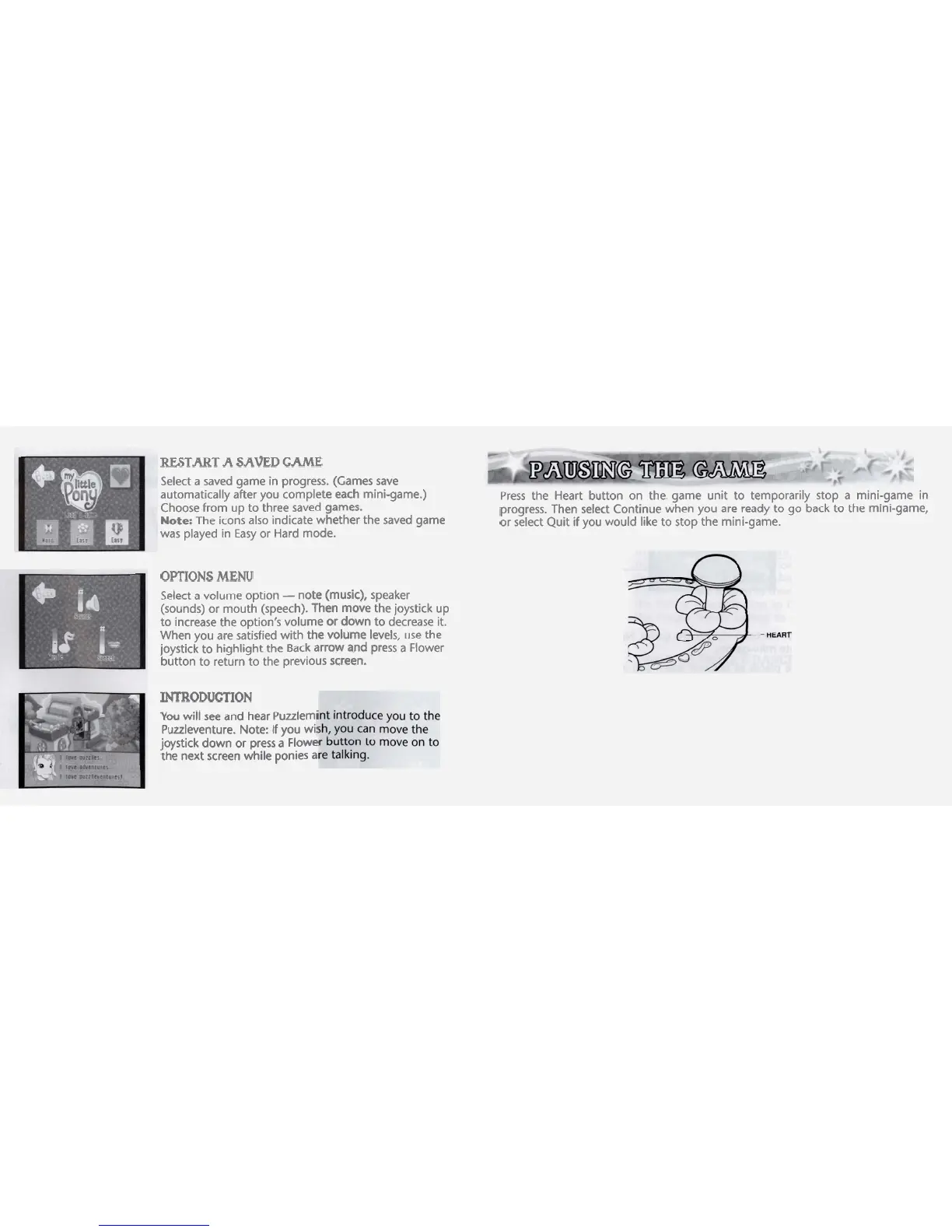
RESTART
A
SAVED
GAME
Select
a
saved game in progress. (Games save
automatically after you complete each mini-game.)
Choose from up to three saved games.
Note:
The icons also indicate whether the saved game
was played in Easy or Hard mode.
OPTIONS
MENU
Select
a
volume option
-
note (music), speaker
(sounds) or mouth (speech). Then move the joystick up
to increase the option's volume or down to decrease it.
When you are satisfied with the volume levels, use the
joystick to highlight the Back arrow
and press
a
Flower
button to return to the previous screen.
INTRODUrnON
You
will see and hear Puulemi
Puuleventure. Note:
If
you wi
joystick down or press
a
Flowe
the next screen while ponies
a
Press the Heart button on the. game unit to temporarily stop
a
mini-game in
progress. Then select Continue when you are ready to go back to the mini-game,
or select Quit if you would like to stop the mini-game.



 To Next Page