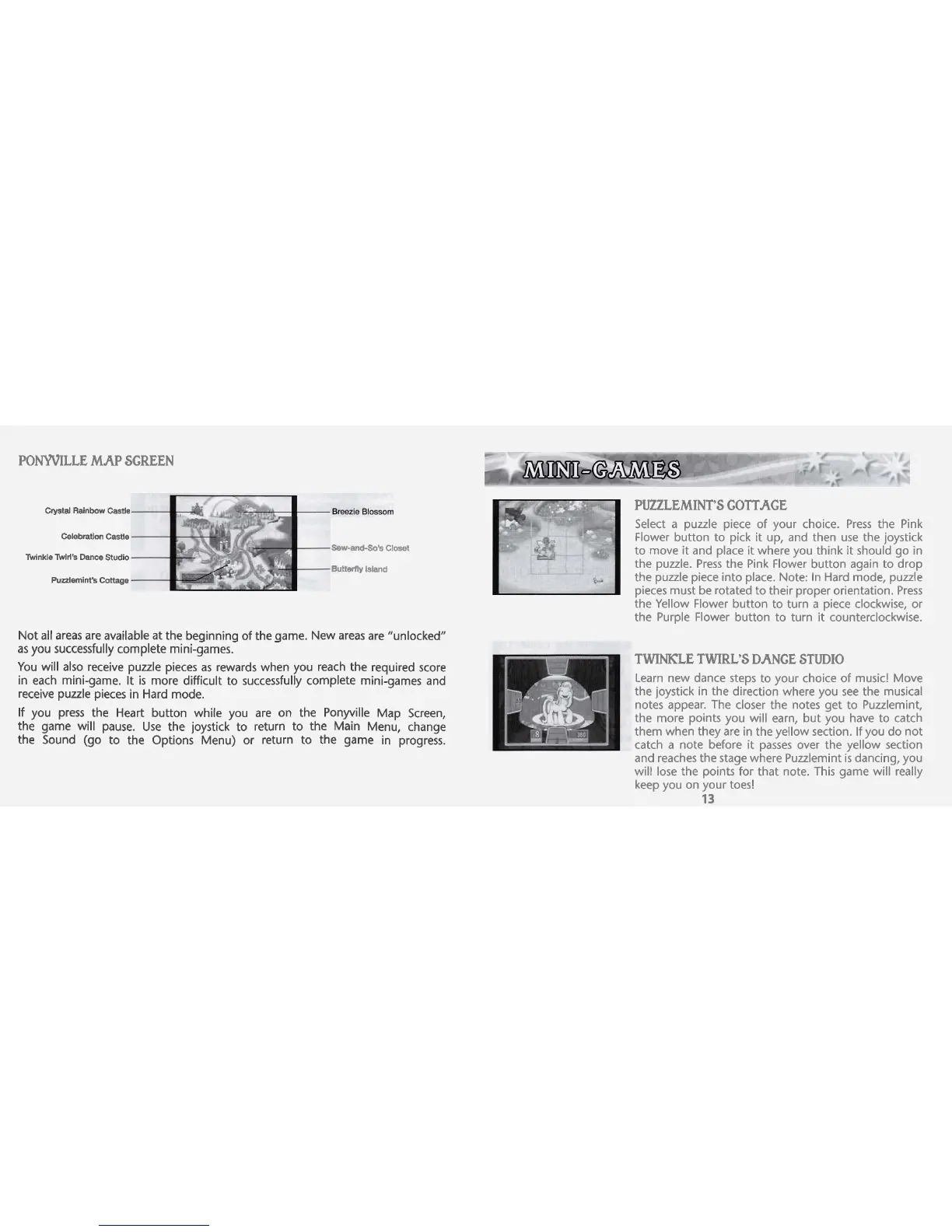
PONYVILLE MJCP SCREEN
Crystal
Rainbow
Castle
Celebration Castle
Twinkle
Twill's Dance Studio
Puzzlemint's Cottage
Sew-andso's
Closet
Buftartty
bland
PUZZLEMINT'S COTTAGE
Select a puzzle piece of your choice. Press the Pink
Flower button to pick it up, and then use the joystick
to move it and place it where you think it should go in
the puzzle. Press the Pink Flower button again to drop
the puzzle piece into place. Note: In Hard mode, puzzle
pieces must be rotated to their proper orientation. Press
the Yellow Flower button to turn
a
piece clockwise, or
the Purple Flower button to turn it counterclockwise.
Not all areas are available at the beqinninq of the qame. New areas are "unlocked"
as you successfully complete mini-games-
-
You will also receive puzzle pieces as rewards when you reach the required score
in each mini-game. It
is
more difficult to successfully complete mini-games and
receive puzzle pieces in Hard mode.
If you press the Heart button while you are on the Ponyville Map Screen,
the game will pause. Use the joystick to return to the Main Menu, change
the Sound (go to the Options Menu) or return to the game in progress.
TWINKLE TWIRL'S DANCE STUDIO
Learn new dance steps to your choice of music! Move
the joystick in the direction where you see the musical
notes appear. The closer the notes get to
Puulemint,
the more points you will earn, but you have to catch
them when they are in the yellow section. If you do not
catch a note before it passes over the yellow section
and reaches the stage where Puzzlemint
k
dancing, you
will lose the points for that note. This game will really
keep you on your toes!
13



 To Next Page