EasyManua.ls Logo

Hasbro I-TURTLE - Getting Started

Hasbro I-TURTLE
8 pages
Print Icon
To Next Page IconTo Next Page
To Previous Page IconTo Previous Page
Loading...
GETTING
STARTED
Your
I-TURTLE
pet
comes
in
"Try-Me"
mode.
You
can
activate
its
full
range
of
features
by
moving
the
Try
Me/Play
switch
to
the
"Play"
position.
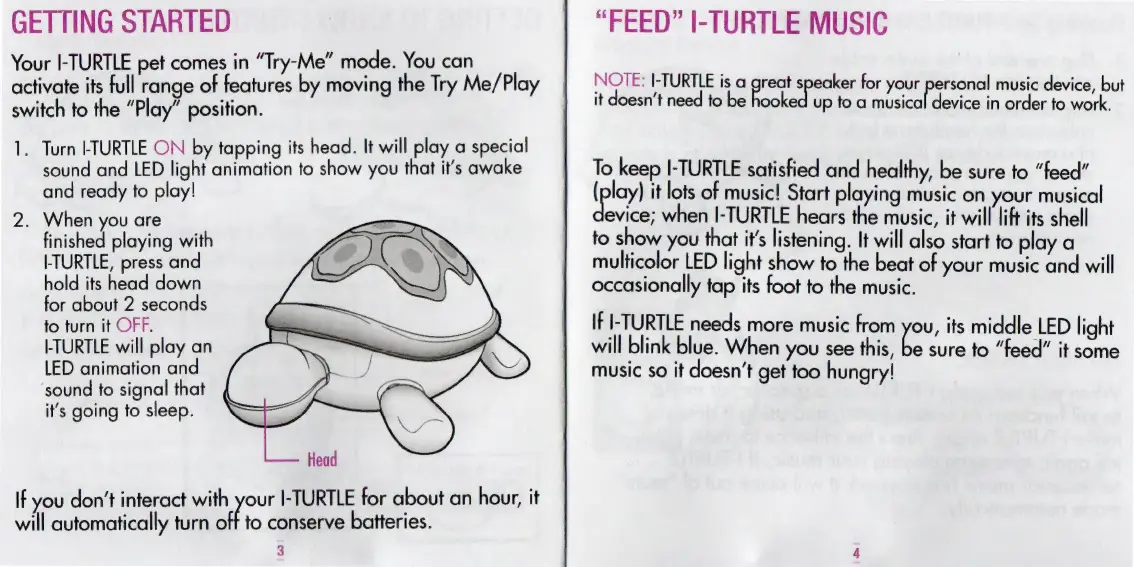
1.
Turn
-TURTLE
ON
by
tapping
its
head.
It
will
play
a
special
sound
and
LED
light
animation
to
show
you
that
it’s
awake
and
ready
to
play!
2.
When
you
are
finished
playing
with
TURTLE,
press
and
hold
its
head
down
for
about
2
seconds
to
turn
it
OFF.
TURTLE
will
play
an
LED
animation
and
sound
to
signal
that
it's
going
to
sleep.
If
you
don't
interact
with
your
I-TURTLE
for
about
an
hour,
it
will
automatically
turn
off
to
conserve
batteries.
3
“FEED”
I-TURTLE
MUSIC
NOTE:
I-TURTLE
is
a
great
speaker
for
your
pron
music
device,
but
it
doesn't
need
to
be
hooked
up
to
a
musical
device
in
order
to
work.
To
keep
I-TURTLE
satisfied
and
healthy,
be
sure
to
“feed”
(play)
it
lots
of
music!
Start
playing
music
on
your
musical
devas
when
I-TURTLE
hears
the
music,
it
will
lift
its
shell
to
show
you
that
it's
listening.
It
will
also
start
to
play
a
multicolor
LED
light
show
to
the
beat
of
your
music
and
will
occasionally
tap
its
foot
to
the
music.
If
I-TURTLE
needs
more
music
from
you,
its
middle
LED
light
will
blink
blue.
When
you
see
this,
be
sure
to
“feed”
it
some
music
so
it
doesn't
get
too
hungry!

Related product manuals