www.hasselblad.com
98
907X CONTROL GRIP USER GUIDE
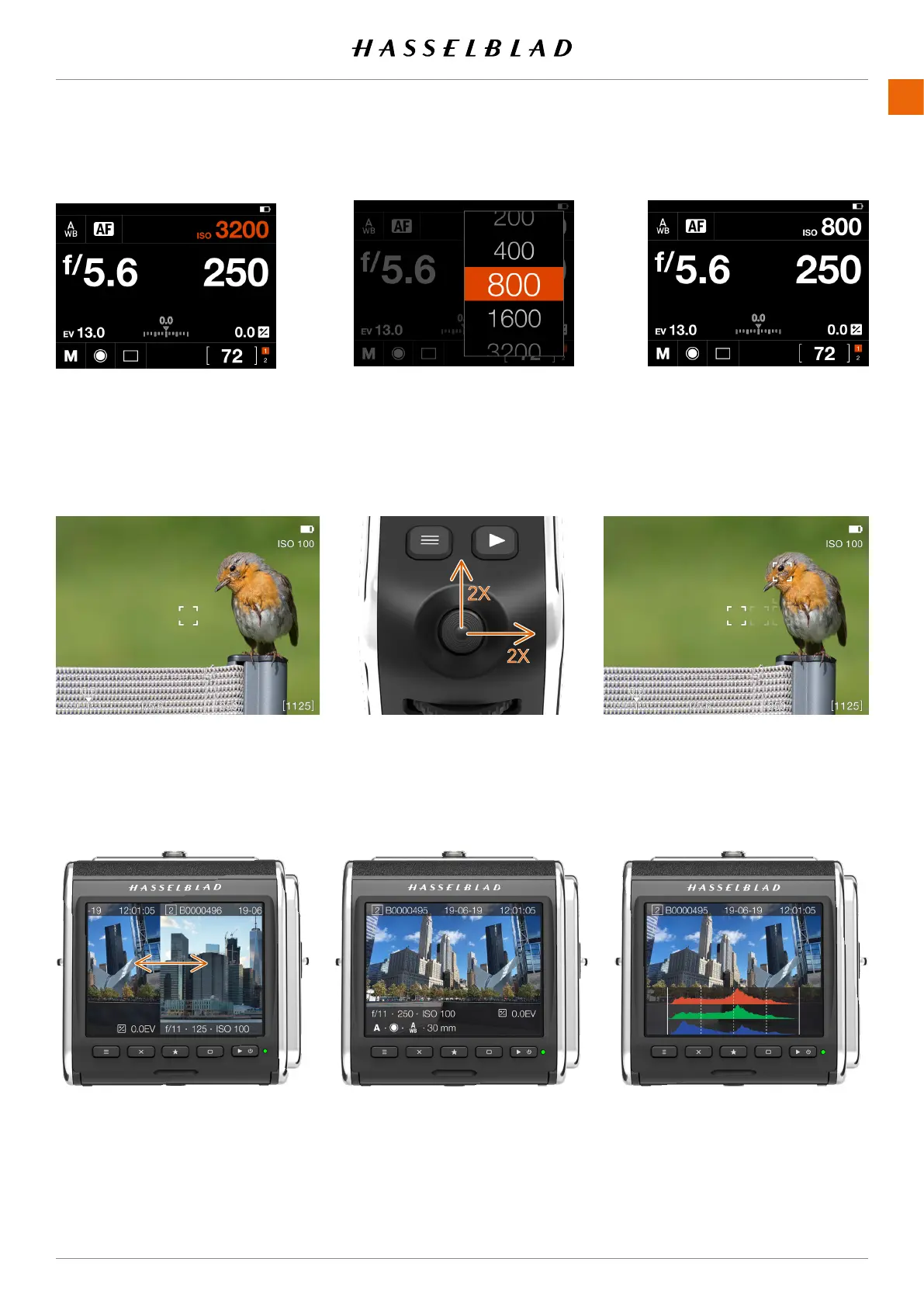
AF area is centered. Move the joystick two times to the right and two times up to move the AF area
in this example.
Move the joystick to highlight ISO. Click the joystick and move it up or
down to select a new value.
Press the joystick to accept the
new value.
Control screen setting
Sideways movement changes
preview image.
Up or down movement changes overlay.
Browse images
Move AF area














 To Next Page