98
H4D
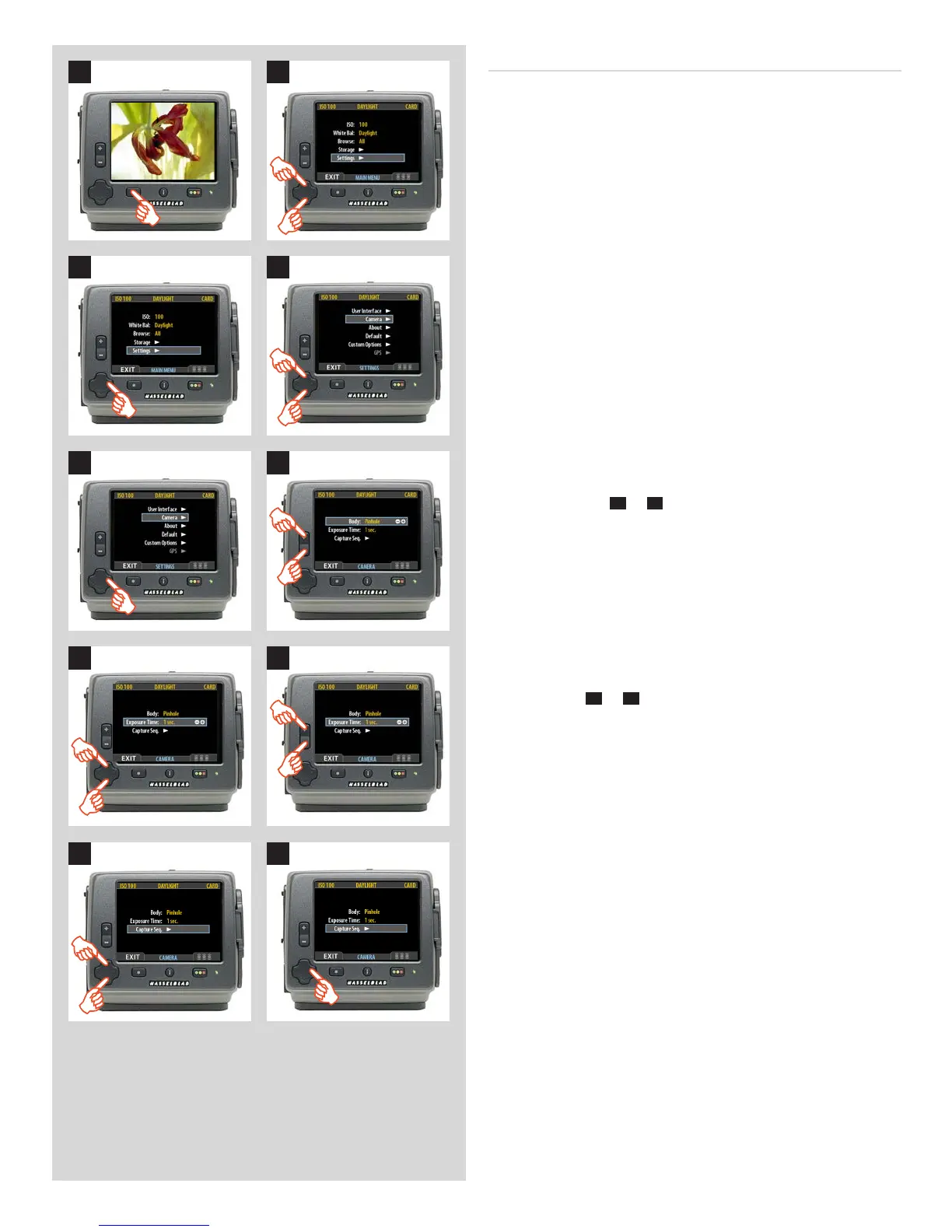
SettingEXPOSURETIMEandCAPTURESEQUENCE
Proceed as follows:
1. Press the menu (MENU) button to open the menu.
2. Use and to select the SETTINGS sub-menu.
1 2
43
5 6
87
9 10
3. Press to open the SETTINGS menu.
4. Use and to select CAMERA.
5. Press to open the CAMERA menu.
6. Press either the
+
or
–
button to select PINHOLE.
7. Press or to select EXPOSURE TIME.
8. Press either
+
or
–
to make an exposure time setting.
9. Press to select CAPTURE SEQUENCE.
10. Press to open the CAPTURE SEQUENCE menu.












 To Next Page