99
H4D
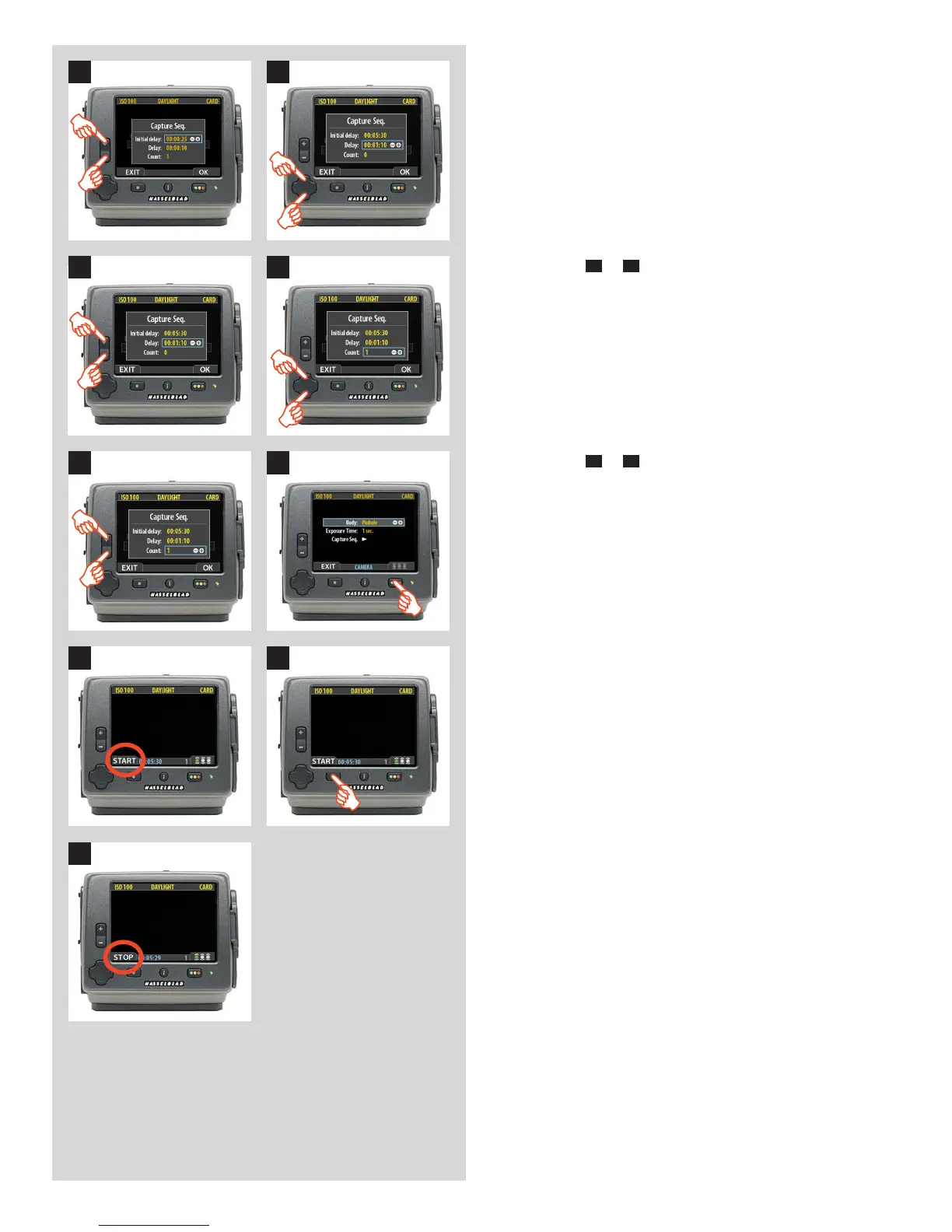
11. Press either the or
button to make an INITIAL DELAY set-
ting.
This setting controls the amount of time that elapses
before the first capture in the sequence.
12. Press to select DELAY.
11 12
1413
15 16
1817
19
13. Press either
+
or
–
to make a DELAY setting.
This setting controls the amount of time between each
capture in the sequence.
14. Press to select COUNT.
17. The unit is now ready for a sequence start. Note that the
MENU/EXIT button now displays START instead:
18. Press START to set the sequence running.
15. Press either
+
or
–
to make a COUNT setting.
This setting controls the number of captures in the
sequence.
16. Press OK to confirm all the settings.
19. Note that the EXIT button now displays STOP. The sequence
can be stopped at any time by pressing this button and the
standard menu display returns.












 To Next Page