46
FIXED EXPOSURE COMPENSATION
SETTING
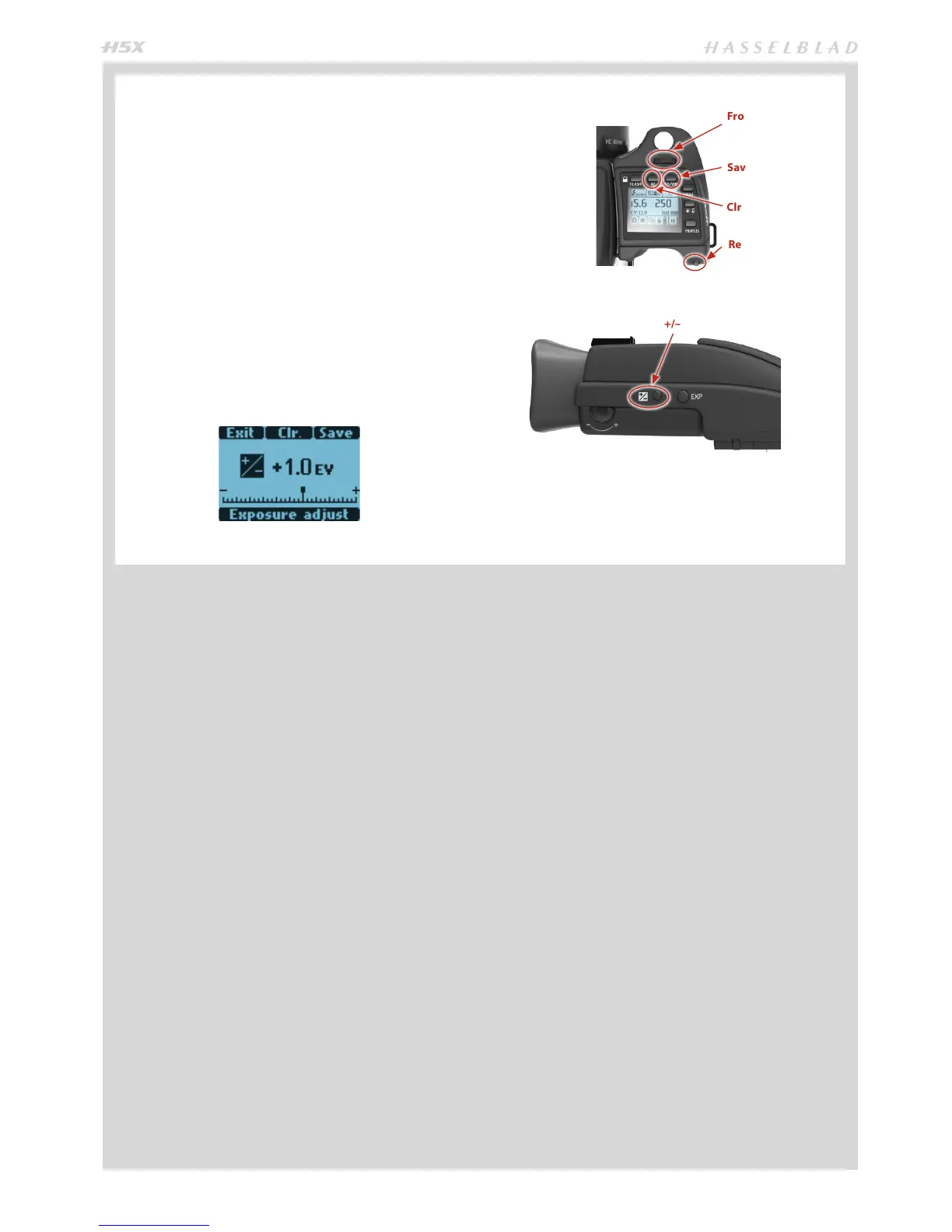
1) Press the ‘±’ button on the viewfinder.
2) Turn either the
Front scroll wheel or
Rear scroll
wheel on the grip to increase or decrease the amount
of compensation in 1/3 EV steps.
3) The amount is displayed in the viewfinder as both an EV
figure complete with a ‘minus’ or ‘plus’ prefix (A in illus-
tration), and as a marker above a ‘minus’ to ‘plus’ scale
(B in illustration).
4) Press
Clr
(AF button) to reset any compensation back to
zero.
5) Press
Save
(ISO / WB button) to retain the setting.
6) A ‘±’ symbol is then displayed between the aperture and
shutter speed setting as confirmation of the setting.
+/–
Clr
Save
Front scroll
wheel
Rear scroll
wheel













 To Next Page