EasyManua.ls Logo

Hasselblad Xpan - Exposure Control; Automatic Exposure

Hasselblad Xpan
48 pages
Print Icon
To Next Page IconTo Next Page
To Previous Page IconTo Previous Page
Loading...
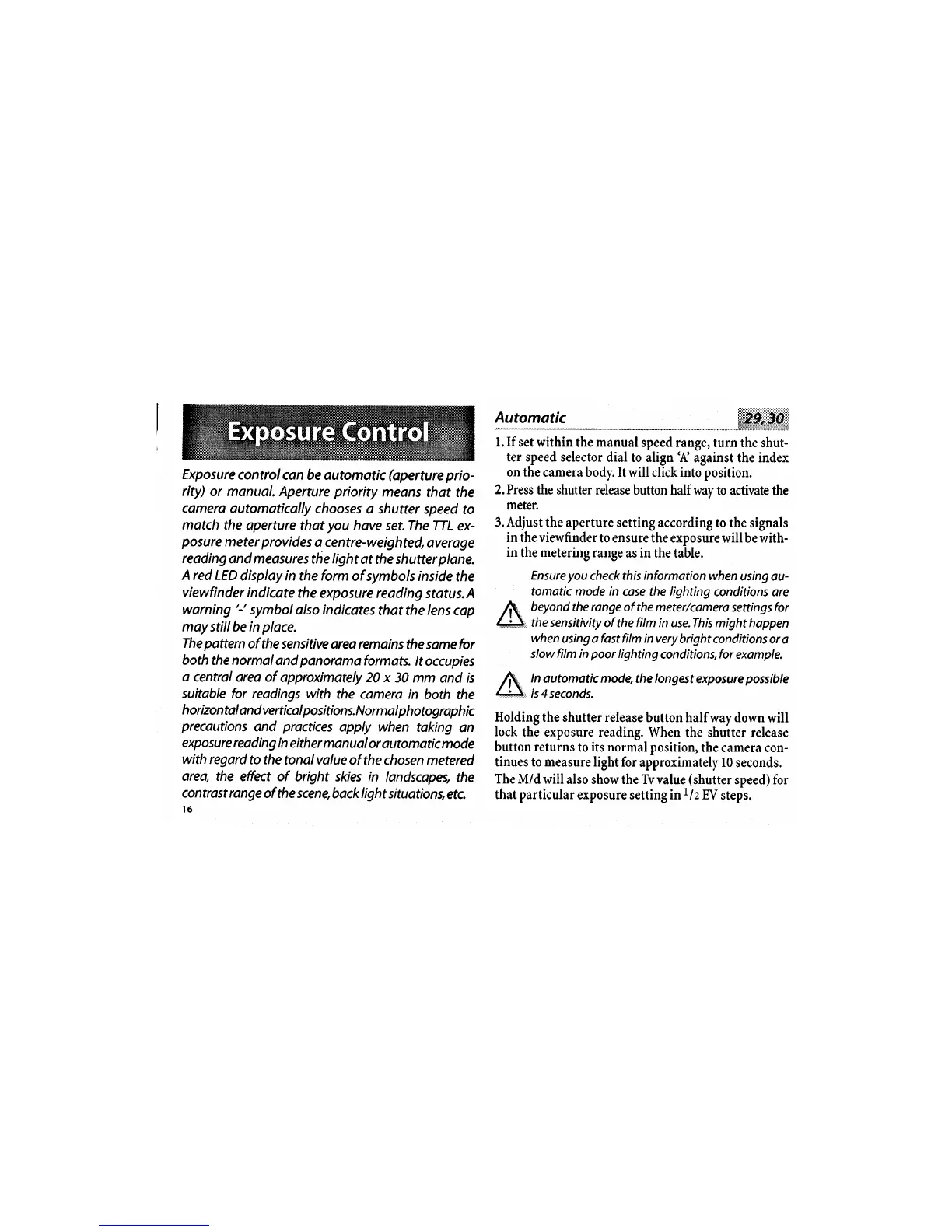
Exposure
controlcan
be automatic
(aperture
prio-
rity)
or manual. Aperture
priority
meons
that the
camero
automatically
chooses
o shutter speed
to
match
the operture
that
you
have
set.The TTL
ex-
posure
meter
provides
a centre-weighted,
overage
reading
and measures
the
light
at the shutter
plane,
A red
LED
disploy in the form
of symbols inside
the
viewfinder
indicate
the exposure reading
status.A
warning
'r
symbol
olso
indicates
thot the
lens
cop
moy
stillbe in
place.
The
pattern
of the sensitive
orea
remainsthe
samefor
both
the normol
ond
panoramo
formots.
lt
occupies
a
central area
of approximately 20 x
30 mm
and is
suitable for
readings with
the camera
in
both the
h o rizo n
tal a
n
d
ve
rti
ca
I
po
s
it i
on s. N o r m
a
I
ph
otog rap
h i
c
precautions
and
practices
apply when
taking
on
exposu re read i
n
g
i n e ith
er
m
a n u
o
I
or automotic mode
with regard
to the
tonolvalue
of the chosen metered
area,
the effect of
bright skies in landscapeg
the
controst range
of the scene,
bock
light
situation,
etc
Automatic
l.If set within
the
manual
speed range,
turn the shut-
ter speed selector
dial to align'A
against the index
on the
camera body. It will click into position.
2. Press the shutter release
button halfway
to activate
the
meter.
3. Adjust
the aperture
setting according to the
signals
in the viewfinder
to ensure the
exposurewill be with-
in
the metering range
as in the table.
Ensure
you
check
this
information
when
using au-
tomatic mode in
case the lighting
conditions are
beyond
the
range
of
the
meter/camera
settings for
the sensitivity
of the film in use.This might happen
when
using a fast film in very
bright conditions
or a
slow film in
poor
lighting
conditions,for example,
ln automatic
mode,the longest
exposure
possible
is
4
seconds.
Holding
the shutter release
button half
way down will
lock
the exposure reading.
When
the shutter release
button returns
to
its normal position,
the camera con-
tinues
to
measure
light for
approximately 10
seconds.
The
M/d will
also show
the
Tv
value
(shutter
speed) for
that particular
exposure
setting
in
t/z
EV
steps.

Other manuals for Hasselblad Xpan

Related product manuals