15
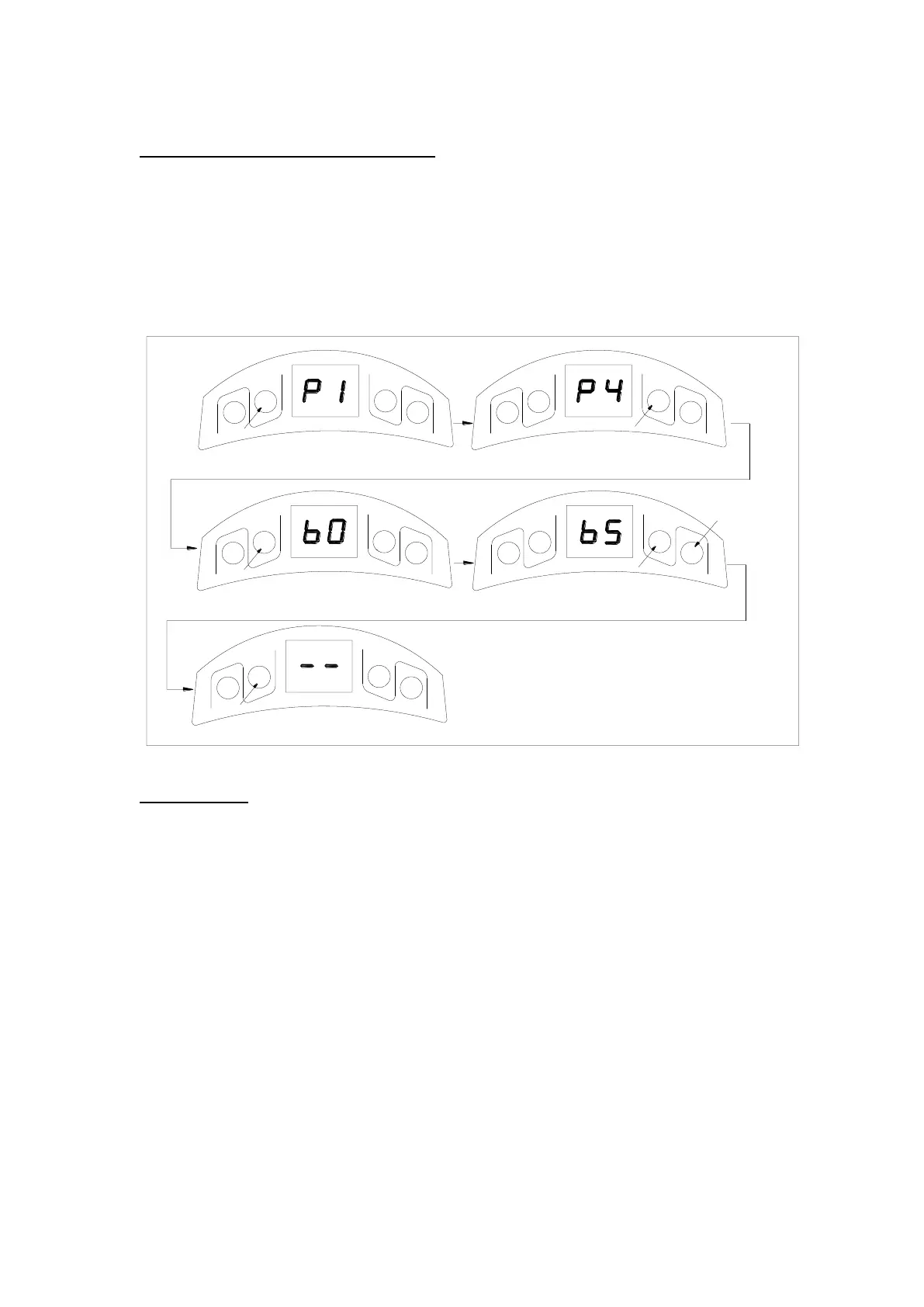
Fig.18
Automatic closing (1~9 minutes adjustable)
1. Press and hold SET four seconds until ‘P1’ is indicated on the LED display.
2. Press UP button three times until ‘P4’ is indicated on the LED display.
3. Press the SET. The factory preset is ‘b0’.
4. Press UP or DOWN to set auto close time (b0-b9). Press UP to increase timer, press
DOWN to decrease timer. Note: To disable auto close set timer to ‘b0’.
5. Press SET to confirm the setting.
NOTE: Automatic closing is available only when the door is in fully opened position.
Fig.19
Door lock mode
1. Press and hold SET four seconds until ‘P1’ is indicated on the LED display.
2. Press UP button four times until ‘P5’ is indicated on the LED display.
3. Press the SET. The factory preset is ‘UL’.
4. Press UP to enable the door lock (‘LC’ will display). Press DOWN to disable to door lock
(‘UL’ will display).
5. Press SET to confirm the setting.
NOTE: LOCK function is available only when the door is in fully closed position.
After setting DOOR LOCK function, the transmitter locked, you need press button 4 of
transmitter to unlock, then press the other buttons to operate the door.


 To Next Page