EasyManua.ls Logo

HATO 180C - User Manual

HATO 180C
18 pages
Print Icon
To Next Page IconTo Next Page
Loading...
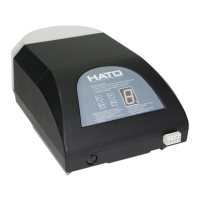
HATO 180C / 200C
GARAGE DOOR OPERATOR
USER’S MANUAL

Questions and Answers

  • A
    Alfred LeAug 5, 2025
    Why doesn't my HATO Garage Door Opener remote control work?
    • M
      Mr. Omar MooreAug 5, 2025
      If the HATO Garage Door Opener's remote control isn't working, here's what you can do: * First, try replacing the battery inside the transmitter. * If that doesn't solve the issue, attempt to re-program the transmitter.
  • N
    Nancy BellAug 11, 2025
    What to do if HATO 180C Garage Door Opener fails to open and close and the LED display does not light?
    • D
      donald37Aug 11, 2025
      If your HATO Garage Door Opener door isn't opening or closing, and the LED display is off: 1. Ensure that the power is turned ON. 2. If the power is on, check the fuse and replace it if it's blown.
  • P
    ptranAug 17, 2025
    What to do if HATO 180C door can open, but fails to close?
    • B
      Barbara JohnsonAug 17, 2025
      If your HATO Garage Door Opener door opens but won't close, the issue might be with the infrared photocell function. Here's how to address it: Make sure the infrared photocell function is disabled. If it should be enabled, remove any obstructions blocking the infrared beam, or try aligning the transmitter and receiver.
  • I
    iwelchAug 25, 2025
    Why is the HATO Garage Door Opener transmitter operating distance short?
    • M
      Michelle ClarkAug 25, 2025
      If the operating distance of your HATO Garage Door Opener transmitter has decreased, or the indicator light is dimming, the battery level may be low. Replace the battery to resolve this issue.
  • B
    brittanyrhodesAug 29, 2025
    What to do if HATO 180C Garage Door Opener motor fails to work after programming open and close limits?
    • C
      castanedashaunAug 29, 2025
      If the motor fails to work after programming the open and close limits on your HATO Garage Door Opener: 1. Check the screws on the tachometer (on motor) and tighten them if they are loose. 2. Reprogram the open and close limits.

Summary

Safety Instructions

Main Features

Technical Specifications

Product Check

Installation and Adjustment

Step 1: Initial Checks

Checks door condition, balance, and measures for header bracket placement.

Step 2: Shuttle Insertion

Inserts shuttle into chain drive rail, ensuring correct orientation and fastening.

Step 3: Powerhead Attachment

Attaches the powerhead unit to the chain drive rail, ensuring spindle insertion.

Step 4: Operator Mounting

Closes the door and mounts the operator, securing the rail to the header bracket.

Step 5: Rail Leveling

Raises and levels the rail, securing it to the ceiling with mounting brackets.

Step 6: Arm Connection

Attaches door bracket and arms, linking them to the shuttle for free movement.

Programming Functions

Transmitter Operation

Explains the functions of transmitter buttons 1, 2, 3 for gate control and button 4 for locking.

Adding Extra Transmitters

Details the steps to program new transmitters by pressing the CODE and transmitter buttons.

Deleting Stored Transmitters

Provides instructions for deleting all previously stored transmitters from the system.

Setting Open and Close Limits

Guides on setting the upper and lower travel limits for the garage door operation.

Adjusting Obstruction Force Sensitivity

Explains how to adjust the force sensitivity for the door's obstruction detection and reversal.

Infrared Photocell Setup

Details how to enable or disable the infrared photocell safety feature.

Automatic Closing Timer

Sets the automatic closing timer for the garage door, adjustable from 1 to 9 minutes.

Door Lock Mode

Explains how to enable or disable the door lock feature, requiring a specific button press to operate.

External Terminal Connections

Maintenance

Troubleshooting

HATO 180C Specifications

General IconGeneral
BrandHATO
Model180C
CategoryGarage Door Opener
LanguageEnglish

Related product manuals