APC-IN-INS-LAB-RevA14 19
3.9 COMMON OPTIONAL ACCESSORIES
3.9.1 Mounting the Wrist Rest
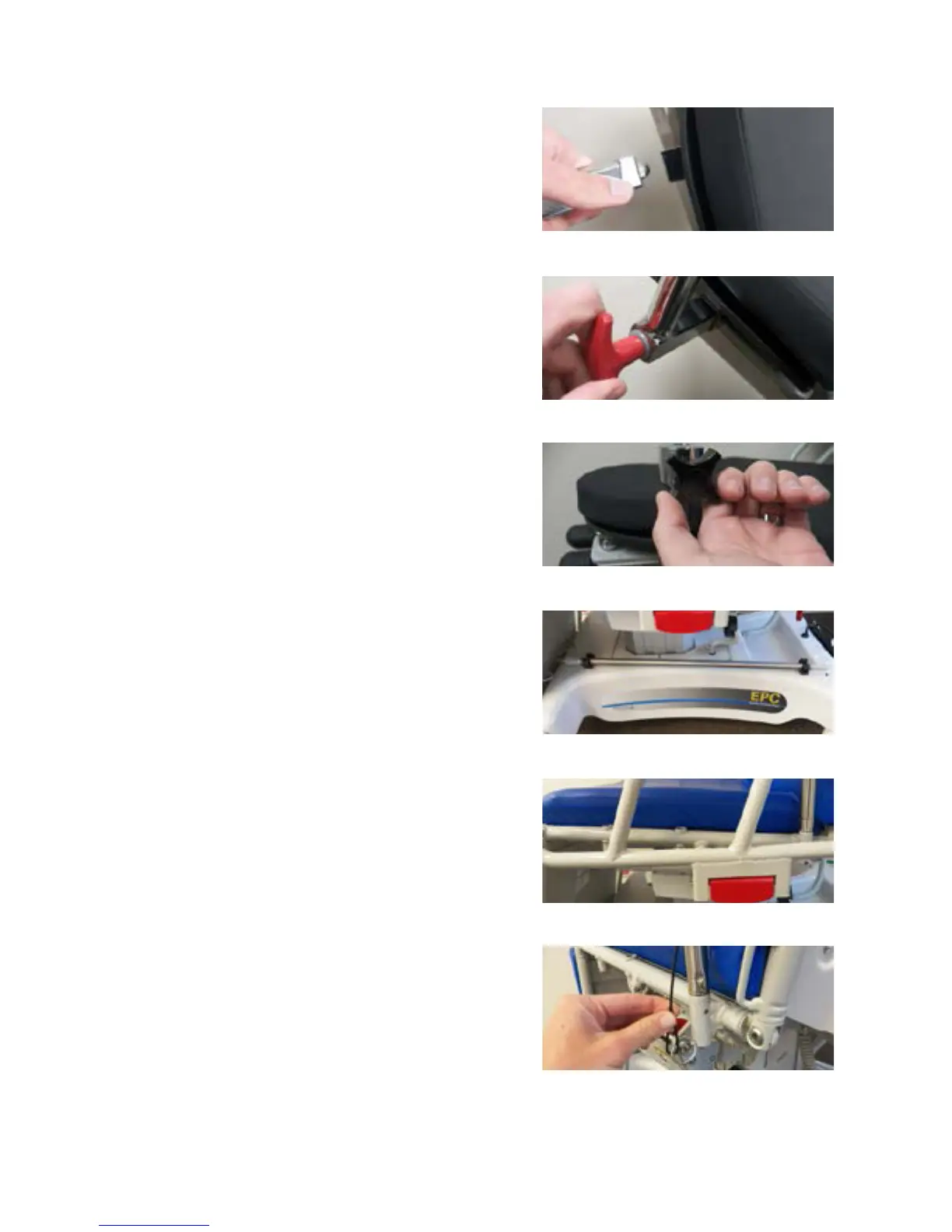
Place the wrist rest into one of the three square
sockets under the headrest (Figure 3-26). Rotate
the T-knob on the back of the wrist rest (Figure
3-27) clockwise.
s NOTICE: Ensure the wrist rest is secure
before applying any pressure.
3.9.2 Adjusting the Wrist Rest
Properly install the wrist rest (see the eye
headrest instructions). Support the wrist rest
and loosen the black star knob on the side of the
support post (Figure 3-28).
Position the wrist rest to desired height and
rotation. Tighten the star knob located on the
side of the support post (Figure 3-28).
s NOTICE: Ensure the wrist rest is secure
before applying any pressure.
3.9.3 Installing #18 IV Rod
Remove the IV Rod from the clips located on the
base (Figure 3-29). Insert IV Rod into preferred
socket (Figure 3-30). Place IV Rod back into
storage clips when not in use (Figure 3-29).
3.9.4 Installing the Side Tray
Insert pin end of Side Tray assembly into
preferred socket on the seat section. Align hole
in pin with hole in seat section socket and insert
locking pin to prevent movement of tray (Figure
3-31).
FIGURE 3-28
FIGURE 3-29
FIGURE 3-30
FIGURE 3-31
FIGURE 3-26
FIGURE 3-27


 To Next Page