View switch
Automatic view switch
When the D gear is engaged, the view automatically switches to the front view; when the R gear
is engaged, the view automatically switches to the rear view. In D gear, turning on left turn signal,
the view will automatically switch to the left front wheel view,turning on right turn signal, the
view will automatically switch to the right front wheel view.
Manual view switch
When the vehicle speed is below 10 km/h, you can manually switch views.
In 2D view mode, by touching the area around the vehicle on the panoramic image you can
switch the view to the corresponding area.
In 3D view mode, touch the panoramic image and it displays multi-directional buttons. By
touching different direction buttons, the imaging area displays the view corresponding to the
button.
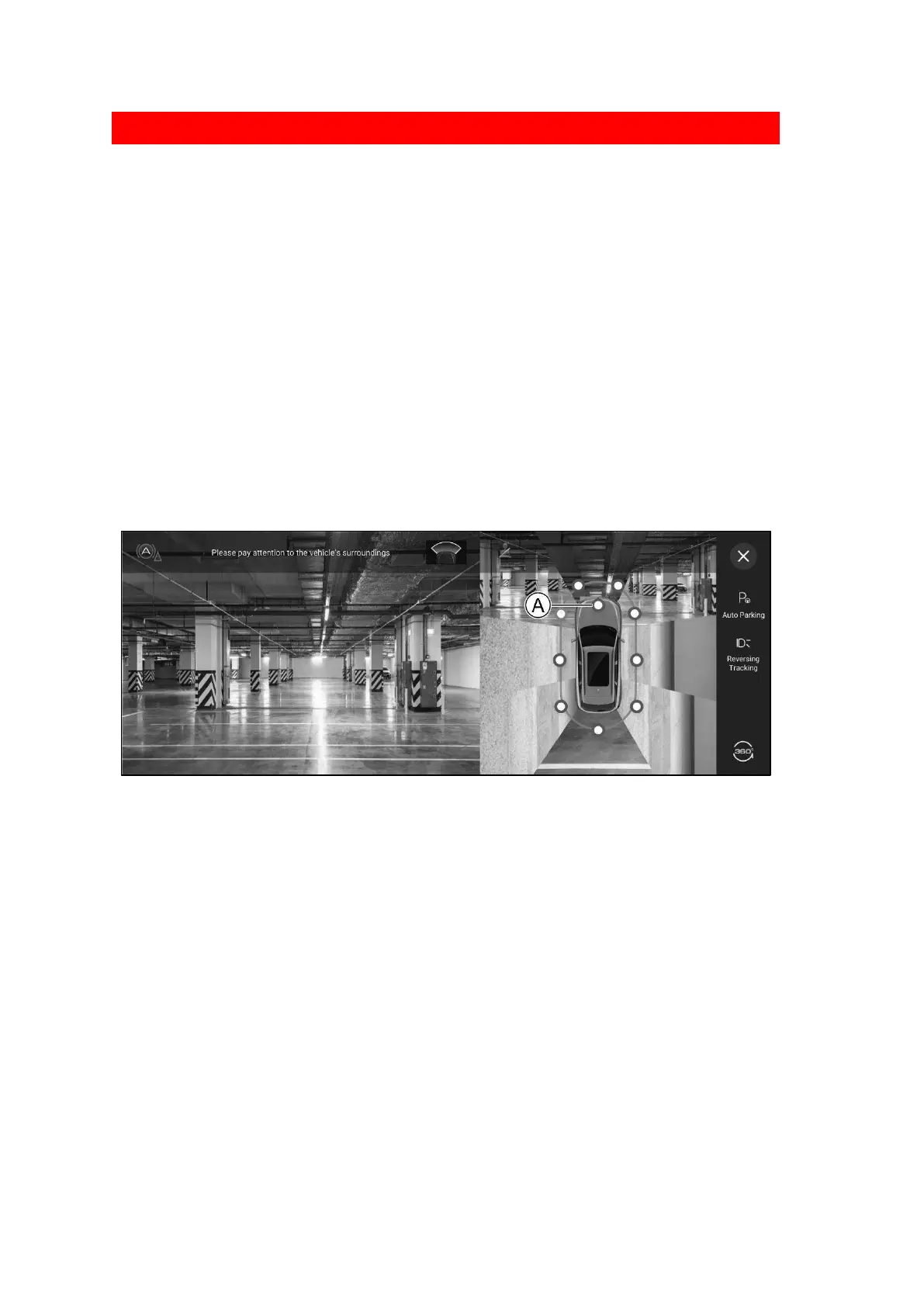
Engine compartment transparent view
1831CD736BE6
Ⓐ Engine compartment transparent view button
In 3 D view mode, tap the transparent perspective button of the top view engine compartment,
then the image interface will gradually display the image of the road under the top view engine
compartment as the vehicle runs.
Fully automatic parking system
System introduction
The fully automatic parking system uses the panoramic view imaging system and the collision-
avoidance sensor system. The sensors and cameras detect obstacles surrounding the vehicle
and parking space lines to identify where the vehicle should be parked. The system then
automatically controls the vehicle's steering, shifting and braking. The driver needs only to
follow the system indications to enter and exit the parking space.
When parking, if pedestrians, vehicles and other moving obstructions are detected and there is
the risk of a collision, the system will automatically perform emergency braking and rapidly
bring the vehicle to a stop; if a fixed obstruction is detected and there is the risk of a collision,
the system will brake softly and stop the vehicle smoothly.


 To Next Page
 Loading...
