17
Conrmation Ready to operate
1. After successful completion of pairing of Sync, Alexa APP will automatically show the connected device in your
home page.
2. Alexa will automatically discover all devices associated with Havells Sync Account.
3. After successful linking of Havells sync account with Alexa, the linked device will show at device home page
(Figure 78)
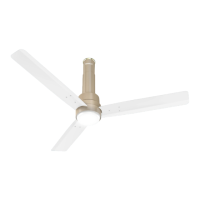
4. Tap on device ELIO, the above Fan Homepage screen will appears (Figure 79)
Control your ELIO Fan using voice recognition feature
Following are some examples of basic voice commands available to control various Functions:
Power Controller
Alexa, “turn on <Device name>”
Alexa, “turn off <Device name>”
Main Light
Alexa, “is the <Device name> Main Light on?”
Alexa, “turn on the <Device name> Main Light”
Alexa, “turn off the <Device name> Main Light”
Fan Power
Alexa, “is the <Device name> Fan Power on?”
Alexa, “turn on the <Device name> Fan Power”
Alexa, “turn off the <Device name> Fan Power”
Fan Speed Control
Alexa, “what is the <device name> Speed / Fan Speed / Air Speed?”
Alexa, “set <Device name> Speed / Fan Speed / Air Speed to low”
Alexa, “set <Device name> Speed / Fan Speed / Air Speed to medium”
Alexa, “set <Device name> Speed / Fan Speed / Air Speed to high”
Alexa, “set <Device name> to speed one”
Alexa, “set <Device name> to speed two”
Alexa, “set <Device name> to speed three”
Alexa, “set <Device name> to speed four”
Alexa, “set <Device name> to speed ve”
Alexa, “decrease <Device name> speed by 2”
Alexa, “increase <Device name> speed by 2”
Light Brightness Control
Alexa, “what is the <device name> Light Brightness / Brightness / Light ?”
Alexa, “set <Device name> Light Brightness / Brightness to Level One / One”
Alexa “set <Device name> light brightness to low”
Alexa, “set <Device name> Light Brightness / Brightness to Level Two / Two”
Alexa, “set <Device name> Light Brightness / Brightness to Level Three / Three”
Alexa “set <Device name> light brightness to Medium”
Alexa, “set <Device name> Light Brightness / Brightness to Level Four/ Four”
Alexa, “set <Device name> Light Brightness / Brightness to Level Five / Five”
Alexa “set <Device name> light brightness to High”


 To Next Page
 Loading...