www.havis.com • 1-800-524-9900
2 11
Before Beginning
(Original Instructions)
• NEVER STOW OR MOUNT THE DOCKING STATION DIRECTLY IN A VEHICLE
AIRBAG DEPLOYMENT ZONE.
• DO NOT USE COMPUTER WHILE DRIVING.
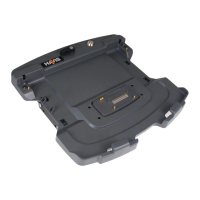
Havis is pleased to provide this Owner’s Manual to aid in the proper
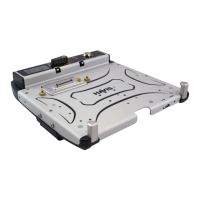
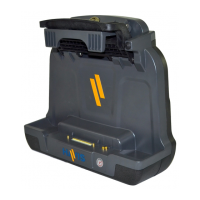
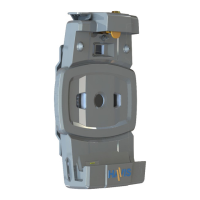
installation and use of the DS-GTC-510 Series Docking Station for
Getac RX10 Rugged Tablets.
For questions regarding the set-up of your DS-GTC-510 Series Docking Station,
please contact Havis at 1-800-524-9900 or visit www.havis.com for additional
product support and information.
This Owner’s Manual applies to the following Part Numbers:
Operation - Undocking (continued)
• FOR DOCKING STATION MODELS EQUIPPED WITH A BUNDLED POWER SUPPLY
(DS-GTC-512, DS-GTC-512-3, DS-GTC-516, DS-GTC-516-3) REFER TO THE SUPPLIED LIND
POWER SUPPLY REFERENCE GUIDE.
• WHEN NOTEBOOK IS DOCKED, THE BATTERY WILL ONLY CHARGE BETWEEN
0°C to 50°C (32°F to 122°F).
PLEASE REFER TO GETAC RX10 OWNER’S MANUAL FOR MORE INFORMATION.
• READ ALL INSTRUCTIONS THOROUGHLY BEFORE BEGINNING INSTALLATION.
• DO NOT STORE, INSTALL, OR OPERATE THE DOCKING STATION WHERE WATER, MOISTURE,
STEAM, DUST, ETC. ARE PRESENT
• DO NOT DOCK OR UNDOCK YOUR COMPUTER UNLESS IT IS POWERED OFF. DOCKING OR
UNDOCKING WITH YOUR COMPUTER IN ON, STANDBY, HIBERNATION, OR SLEEP MODES
CAN CAUSE PERMANENT DAMAGE.
• FOR THE DS-GTC-511, DS-GTC-511-3, DS-GTC-512, DS-GTC-512-3, DS-GTC-515,
DS-GTC-515-3, DS-GTC-516, & DS-GTC-516-3 DOCKING STATIONS:
DO NOT CONNECT DIRECTLY TO VEHICLE VOLTAGE SOURCE: This product requires
a certied, automotive grade, Getac approved 95W power source rated for a
continuous, regulated 19VDC output (Havis Part Number LPS-116 or equivalent).
Failure to comply with this requirement will cause product damage that is NOT
repairable and is NOT covered under warranty.
• FOR THE DS-GTC-513 & DS-GTC-513-3 DOCKING STATIONS:
DO NOT CONNECT DIRECTLY TO VEHICLE VOLTAGE SOURCE: The Getac RX10 tablet
requires a certied, Getac approved power source rated for a continuous, regulated
19VDC output. Failure to comply with this requirement will cause product damage
that is NOT repairable and is NOT covered under warranty.
• DS-GTC-515. DS-GTC-515-3, DS-GTC-516, & DS-GTC-516-3 ARE EQUIPPED WITH A
+5V RS232 SERIAL PORT (PIN #9). BE CERTAIN TO VERIFY THAT YOUR PERIPHERAL DEVICE
IS COMPATIBLE WITH A POWERED RS232 PORT.
DS-GTC-511
DS-GTC-511-3
DS-GTC-512
DS-GTC-512-3
DS-GTC-513
DS-GTC-513-3
DS-GTC-515
DS-GTC-515-3
DS-GTC-516
DS-GTC-516-3
3) While Latch Mechansim is pushed down, carefully rock the top of the
computer forward and lift out of Docking Station


 To Next Page