Need help?
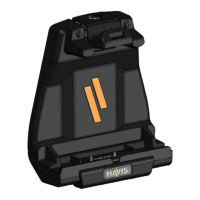
Do you have a question about the Havis DS-PAN-504 and is the answer not in the manual?
Lists all components included in the hardware kit for installation.
Specifies the tools necessary for the installation process.
Outlines different mounting configurations and fastener choices.
Step-by-step guide for Havis vehicle motion/mounting equipment.
Step-by-step guide for VESA 75mm mounting devices.
Guide for mounting on surfaces without rear access.
Instructions for managing cables using zip ties and strain relief.
Step-by-step guide on how to dock the Panasonic Toughpad FZ-A1.
Important note on aligning the tablet with the docking station.
Step-by-step guide on how to undock the tablet.
 General
| Device Type | Docking Station |
|---|---|
| Compatible Manufacturer | Panasonic |
| VESA Mount | Yes |
| Ports | Ethernet, Serial, USB |
| Mounting Options | Vehicle |
| Material | Aluminum |

 To Next Page