Need help?
Do you have a question about the Havis KB-101 and is the answer not in the manual?
Guidance on keyboard setup, usage, and Havis support contact information.
Essential warnings regarding keyboard placement in vehicle airbag zones and safe operation during driving.
Recommended computer BIOS and power settings for keyboard integration and wake support.
Description of an accessory mount for easy docking and undocking of the keyboard.
Instructions for turning the keyboard backlight on/off and adjusting its intensity.
How to mute sound and adjust the keyboard volume level using function keys.
Explains the function of the emergency button sending a SHIFT+F1 key sequence.
Details on using the mouse pad for cursor control and scrolling with single or two fingers.
Guidance on how to clean the rugged keyboard using a soft cloth and suitable solvents.
Advisories against placing metal objects and exposing the keyboard to high temperatures.
Details on working voltage, dimensions, weight, and operating/storage environments.
Information on supported operating systems and communication interface standards.
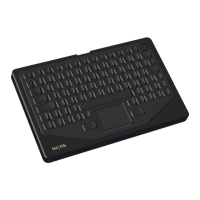
List and visual identification of parts included with the rugged keyboard package.
Step-by-step guide for mounting the keyboard and connecting it to a computer.


 To Next Page
 General