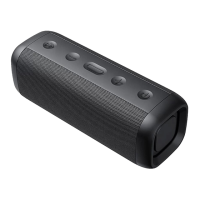
1.Long press the power switch for 2 seconds to
turn on, the LED status indicator flashes blue and
the power LED indicator lights up white.
2.Long press the power switch for 2 seconds to
turn off, the LED status indicator goes off.
Power ON/OFF
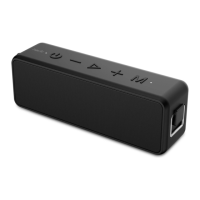
Press the MFB button to answer incoming calls.
Tip: Since some mobile phones default to answer
calls
via their own receiver, please refer to the
Answer incoming calls
1.Turn on the Bluetooth speaker, the LED
indicator flashes blue continuously while waiting
for paring. Or you can short press M to
disconnect and to enter pairing mode.
2.Then active the Bluetooth of your phone and
search for "HAVIT M76". Click manually to
connect. If the connection is successful, the LED
indicator will turn steady blue.
3. Since the speaker can automatically reconnect
to the last paired device. When the Bluetooth of
your device turns on, (Just turn on the speaker), it
will automatically reconnect.
Bluetooth connection


 To Next Page