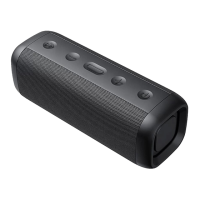
2. Turn on two speakers;
3. Long press M button on either speaker for 2
seconds, then there comes up a melody which
means the two speakers are now in TWS pairing
status. Until LED of the right channel speaker
lights up steady blue and the LED of the left
channel speaker flashes, the TWS connection is
successful.
4. Then active the Bluetooth of your phone and
search for "HAVIT M76". Click manually to
connect. The two speaker LED turns to be steady
blue if the connection is successful.
5.The function of TWS must be matched before
connecting to the mobile devices. Otherwise, the
function of TWS cannot be matched after
connecting to mobile devices.
6. The two speakers can automatically achieve
TWS re-connection for the future use.
7. Long press the M for 5s after power on can
reset and restart the speaker.
8. In TWS connection, only the left channel
Charging:
1.As product has built-in non-removable and
rechargeable battery, please use the provided
Type-C USB cable to charge.
2.Charging voltage and current is 5V/2.4A, PLS
charge


 To Next Page