Installation
DANGER of Death, Injury or Property Damage if procedure not followed. This accessory
connects to the OmniLogic panel beneath the dead front. Dead front removal is required for this
installation. Power to the OmniLogic panel MUST be shut off before the dead front is removed.
This means a complete shutdown of power to the entire OmniLogic panel.
Remove power to the OmniLogic. Remove the OmniLogic cover panel (dead front) to expose the
main board and internal relays.
Mounting
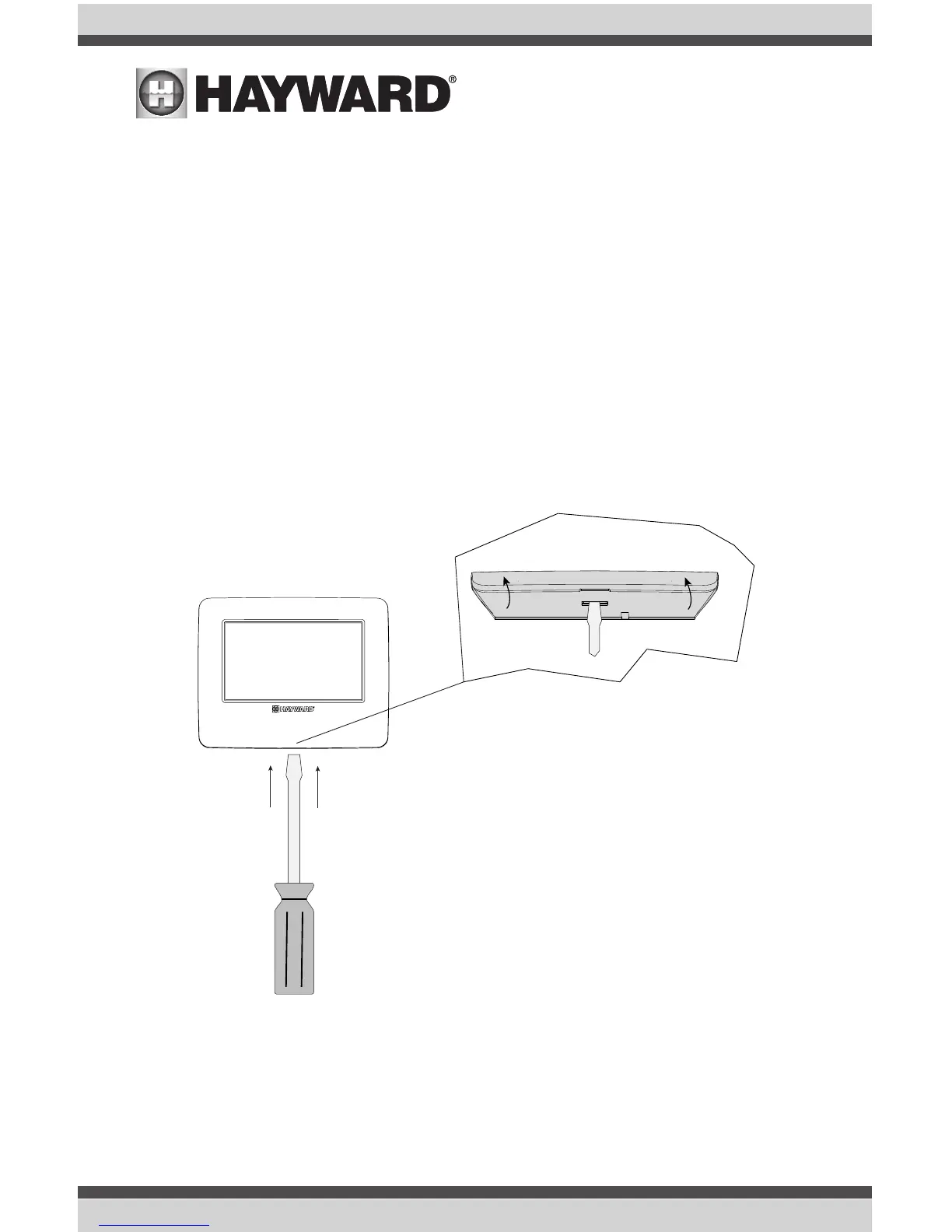
1. Remove the remote terminal wallplate from the cover by inserting a screwdriver in the slot shown
below. Lift up on the cover while pushing gently with the screwdriver.
Push Screwdriver
blade through slot
and pull up cover
3
USE ONLY HAYWARD GENUINE REPLACEMENT PARTSUSE ONLY HAYWARD GENUINE REPLACEMENT PARTS



 To Next Page