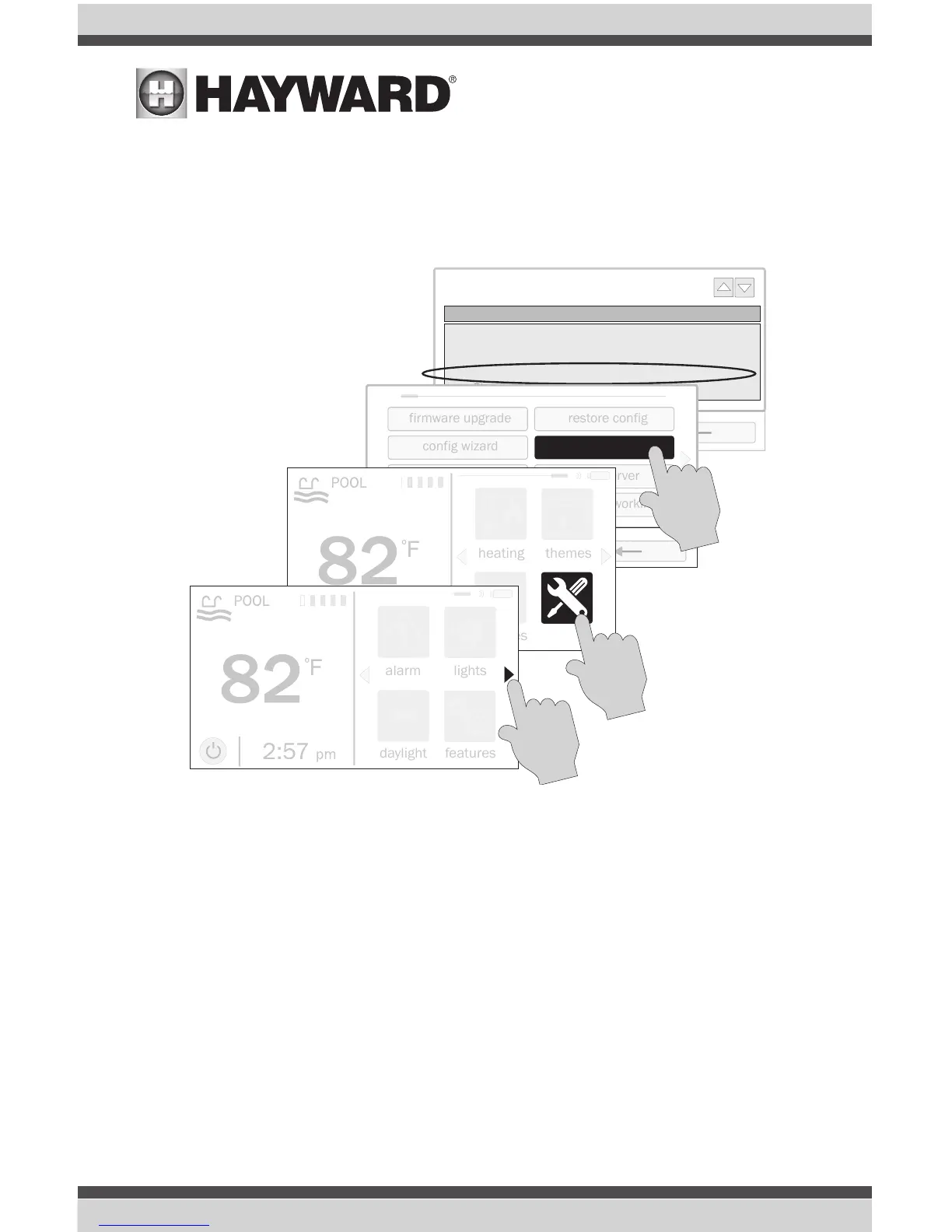
Configuration
When the OmniLogic first starts HLWALLMOUNT should automatically be discovered and configured.
No input is required from the user. To verify that the OmniLogic has discovered the HLWALLMOUNT,
go to the local terminal (touchscreen on the OmniLogic) and follow the procedure below. There should
be a line entry showing the HUA and version.
Operation
The HLWALLMOUNT provides the same functionality as the Local Terminal except for the following:
• No Service Mode - Service mode is only accessible from the Local Terminal
• Limited Configuration options - Full access to all OmniLogic configuration settings is only
available at the Local Terminal.
USE ONLY HAYWARD GENUINE REPLACEMENT PARTS
6



 To Next Page