EasyManua.ls Logo

Hayward TCELL925-CUL - User Manual

Hayward TCELL925-CUL
2 pages
Print Icon
To Next Page IconTo Next Page
Loading...
USE ONLY HAYWARD GENUINE REPLACEMENT PARTS
092641 RevA
Hayward Pool Products
620 Division Street, Elizabeth NJ 07207
Phone (908)-355-7995
www.hayward-pool.ca
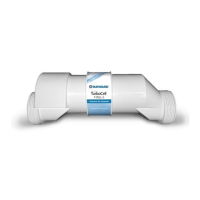
TCELL925-CUL
NEW MENU SETTING MAY BE REQUIRED!
The TCELL925-CUL is an extended life cell designed for pools up to 25,000 gallons. When replacing an existing T-CELL-9, GLX-CELL-9, or
TCELL925-CUL, no re-configuration is necessary.
You must configure your controller for use with the TCELL925-CUL chlorinator cell before attempting to operate. Incorrect configuration will
cause inaccurate salt readings, improper operation, and possible system shutdown. The TCELL925-CUL is designed for pools up to 25,000
gallons and is compatible with the following models only and will NOT work with earlier versions:
AQR (AquaRite - all 2009 or later) - firmware version 1.5 or later
AQR-PRO (AquaRite Pro) - operating with firmware 1.10 or later
• PL-P-4 (ProLogic P4) - operating with firmware 4.10 or later
• PL-PS-x (ProLogic PS) - operating with firmware 4.10 or later
Connecting to an AQR:
1. Slide the Main Switch to the “Auto” position.
2. Push the Diagnostic button repeatedly until “t-xx” appears on the display (“t-15” is the factory default).
3. To change cell type, slide the Main Switch from “Auto” to “Super Chlorinate” and back to “Auto”. Repeat this process until the “t-9” is
displayed.
4. Push the Diagnostic button to exit.
Connecting to an AQR-PRO:
1. Verify that the firmware version is 1.10 or greater by pushing the “Info” button, then”>” repeatedly until the firmware revision is shown.
If the firmware version is less that 1.10, the TCELL925-CUL cannot be used.
2. Access the Settings Menu by pushing the “Settings” button.
3. Push “>” until Chlor. Config is displayed, then push “+”.
4. Push “>” repeatedly until “Cell Type” is displayed.
5. Push “+” or “-” until “T-CELL-9” is displayed.
6. Exit Settings Menu by pushing the “Info” button.
Connecting to a PL-P-4 or PL-PS-x:
1. Verify that the firmware version is greater than 4.10 by entering the Diagnostic Menu and repeatedly pushing the “>” until the Main
Firmware revision is shown. If the firmware version is less that 4.10, the TCELL925-CUL cannot be used.
2. Enter the Configuration Menu.
3. Push “>” until Chlor. Config is displayed, then push “+”.
4. With the Chlorinator Enabled, push “>” repeatedly until “Cell Type” is displayed.
5. Push “+” or “-” until “T-CELL-9” is displayed.
6. Exit Settings Menu by pushing the “Menu” button.

Question and Answer IconNeed help?

Do you have a question about the Hayward TCELL925-CUL and is the answer not in the manual?

Overview

The provided document describes the Hayward TCELL925-CUL, an extended-life chlorinator cell designed for swimming pools.

Function Description

The TCELL925-CUL is a salt chlorine generating cell that produces chlorine for swimming pools. It is designed to work with compatible Hayward control systems to maintain proper chlorine levels in the pool water. The system converts salt (sodium chloride) in the pool water into chlorine, which then sanitizes the pool. This process eliminates the need for manual addition of traditional chlorine products.

Important Technical Specifications

  • Pool Size Compatibility: Designed for pools up to 25,000 gallons.
  • Compatibility with Control Systems: The TCELL925-CUL is compatible with specific Hayward control system models and firmware versions. It will NOT work with earlier versions of these systems.
    • AQR (AquaRite): All 2009 models or later, requiring firmware version 1.5 or later.
    • AQR-PRO (AquaRite Pro): Requires firmware version 1.10 or later.
    • PL-P-4 (ProLogic P4): Requires firmware version 4.10 or later.
    • PL-PS-x (ProLogic PS): Requires firmware version 4.10 or later.
  • Cell Type Configuration: The control system must be configured to recognize the TCELL925-CUL as a "T-CELL-9" for accurate salt readings, proper operation, and to prevent system shutdown. Incorrect configuration can lead to inaccurate salt readings, improper operation, and potential system shutdown.
  • Operating Principle: The amount of chlorine produced is directly dependent on the length of time the filter pump runs daily. The chlorination setting on the control system should be matched to the filter pump run time of the pool to prevent over- or under-chlorination.
  • Low Flow Conditions: When using 2-speed or variable-speed pumps on low speed, it is crucial to ensure the salt cell receives adequate water flow. Insufficient flow can lead to inefficient chlorine production.

Usage Features

  • Extended Life: The TCELL925-CUL is an "extended life cell," suggesting a longer operational lifespan compared to standard cells.
  • Automatic Chlorination: Once configured and operating, the system automatically generates chlorine, reducing the need for manual chemical additions.
  • Configuration Flexibility: The manual provides detailed instructions for configuring the cell with different Hayward control systems (AquaRite, AquaRite Pro, ProLogic P4, and ProLogic PS).
    • AQR Configuration: Involves sliding the Main Switch to "Auto," repeatedly pushing the Diagnostic button until "t-xx" appears, and then cycling the Main Switch between "Auto" and "Super Chlorinate" until "t-9" is displayed.
    • AQR-PRO Configuration: Requires verifying firmware version (1.10 or greater), accessing the Settings Menu, navigating to "Chlor. Config," then "Cell Type," and selecting "T-CELL-9" using the "+" or "-" buttons.
    • PL-P-4 or PL-PS-x Configuration: Involves verifying firmware version (4.10 or greater) in the Diagnostic Menu, entering the Configuration Menu, navigating to "Chlor. Config," then "Cell Type," and selecting "T-CELL-9" using the "+" or "-" buttons.
  • Chlorination Adjustment: Users can adjust the chlorination setting on their AquaRite dial or ProLogic controller keys to match changes in filter pump operating time. For example, if filter pump time doubles, chlorination setting should be halved.
  • Monitoring and Fine-tuning: After any chlorination adjustment, it is recommended to monitor the pool's chlorine level closely for 1-2 weeks. The target range for chlorine levels is 1-3 ppm. Further small adjustments may be needed to achieve this range. Weekly checks of chlorine levels are recommended for normal operation.

Maintenance Features

  • New Menu Setting Requirement: When replacing an existing T-CELL-9, GLX-CELL-9, or TCELL925-CUL with a new TCELL925-CUL, no re-configuration is necessary. However, if installing for the first time or replacing a different cell type, a "NEW MENU SETTING MAY BE REQUIRED!" to ensure proper operation.
  • Flow Optimization for Low Speed Pumps: To ensure adequate flow and efficient chlorine production when using 2-speed or variable-speed pumps on low speed, the cell can be installed vertically or in an inverted manner. This helps keep the cell flooded with water, preventing inefficient chlorine production due to low flow conditions. The manual provides illustrations for both "Vertical Installation" and "Inverted Installation."
  • Genuine Replacement Parts: The document emphasizes the use of "HAYWARD GENUINE REPLACEMENT PARTS" for maintenance and replacement, suggesting that using non-genuine parts may affect performance or warranty.

Hayward TCELL925-CUL Specifications

General IconGeneral
BrandHayward
ModelTCELL925-CUL
CategoryCleaning Equipment
LanguageEnglish

Related product manuals