44
WE2110
HBM A2181-1.0 de/en
3 Mounting option cards ZCC and ZS
CAUTION
Before mounting, device must be switched-off or disconnected. Never
change or assemble cards when unit is on power. The power supply bo-
ard will be destroyed.
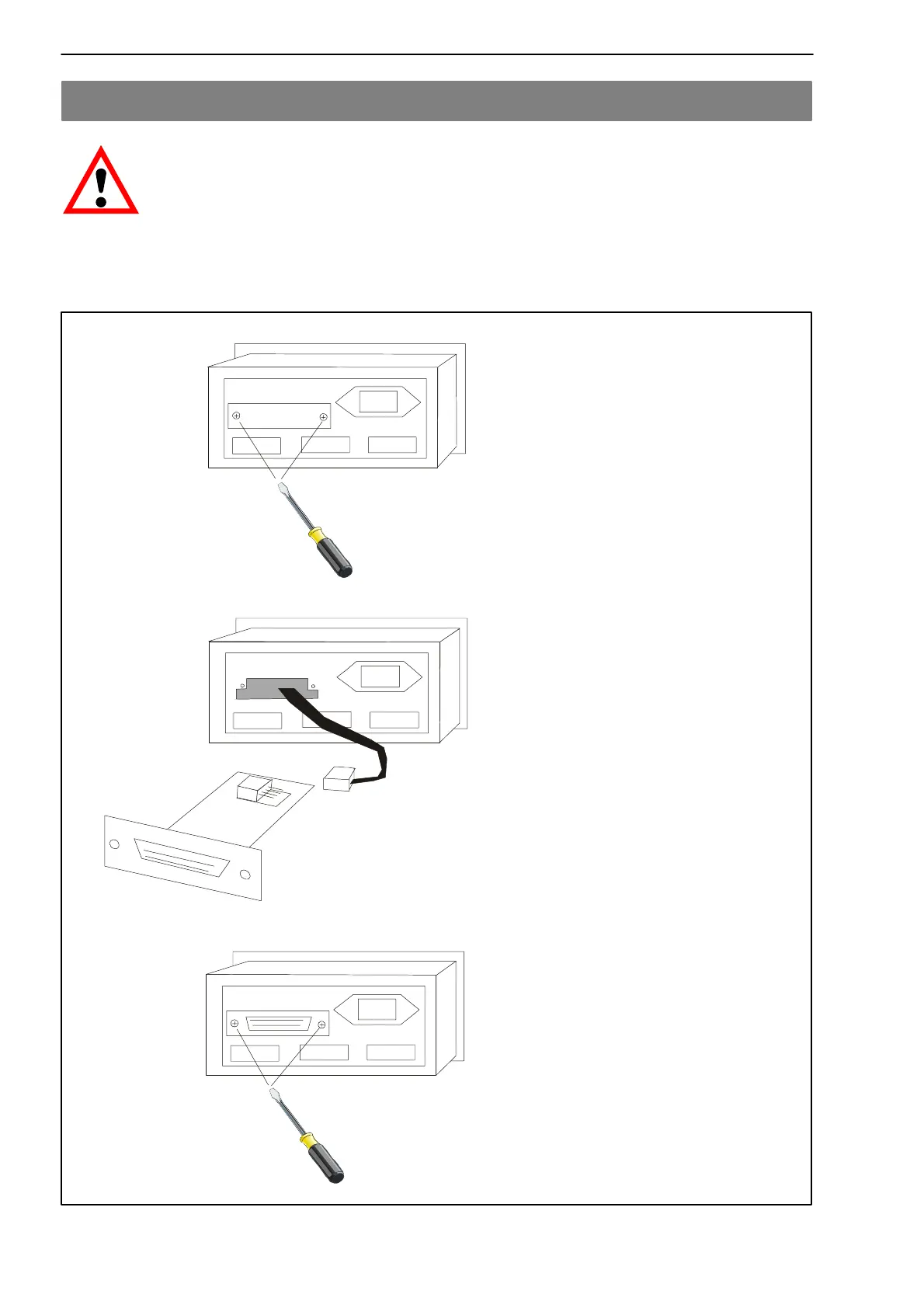
− Remove the rear sheet metal
− Keep the bolts!
− Take out the internal 4-wire
cable connector
− Link cable connector to the card
card ZCC or ZS
− Insert the card carefully
− Fix card with bolts
− Setup card by menu


 To Next Page