III. Menu Operation
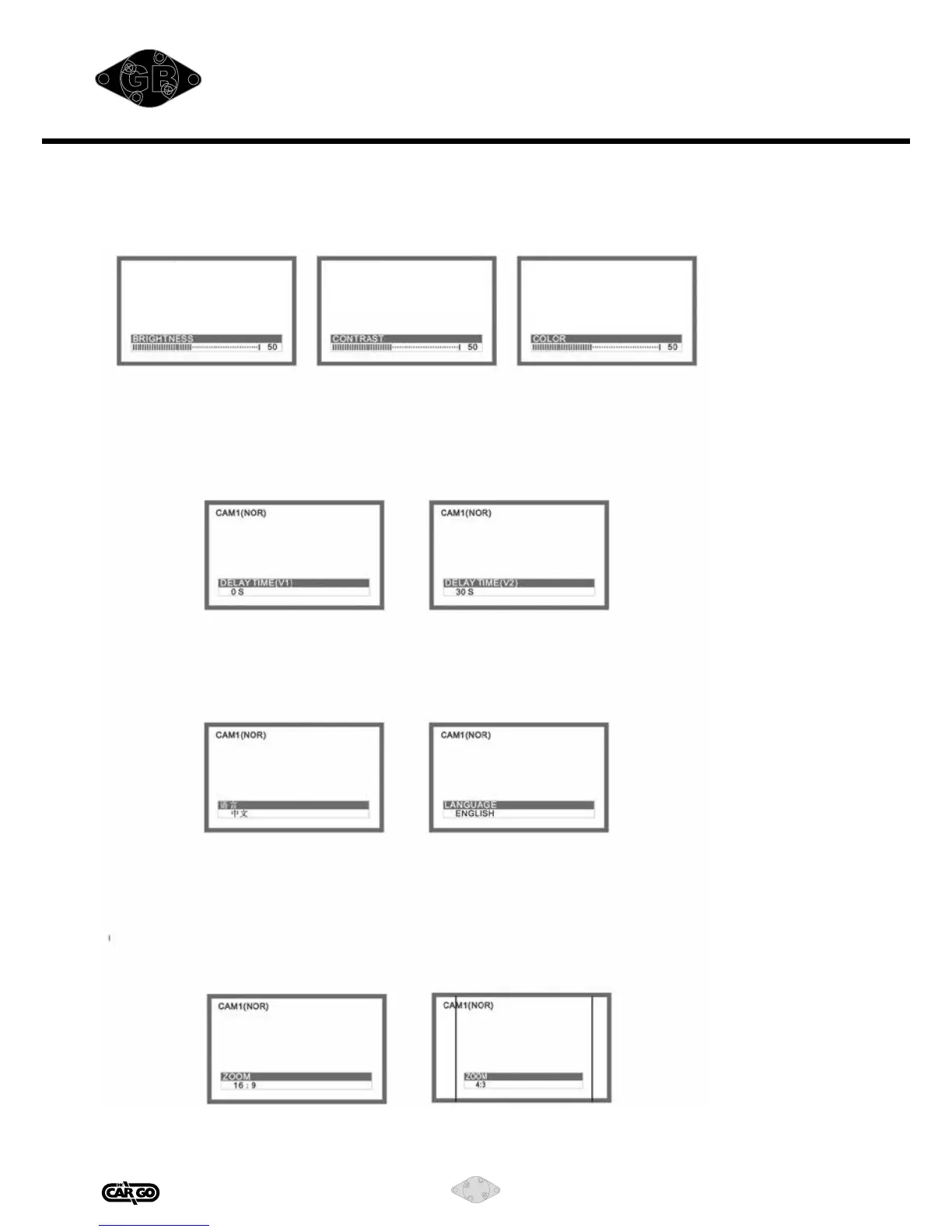
1. Picture
Press MENU to Brightness/Contrast/Color
Press left/right to adjust the value.
CAM1(NOR) CAM1(NOR) CAM1(NOR)
The default value is 50 and can be adjusted between 0-100.
2. Delay Time (V1)/(V2)
Press MENU to delay time, press left/right to adjust.
Delay time setting: Set the delay time when the trigger stopped on CAM1 and
CAM2. It can be 0~30s.
3. Language
You can choose among eight languages: Chinese/English/French/German/Italian/Span-
ish/Portuguese/Russian/Dutch/Danish/Polish.
4. ZOOM (Display Mode)
There are two display modes, 16:9 and 4:3.
Press MENU to mode 16:9, press left/right to switch to 4:3.


 To Next Page