Page 30 of 34
Faceplate Installation
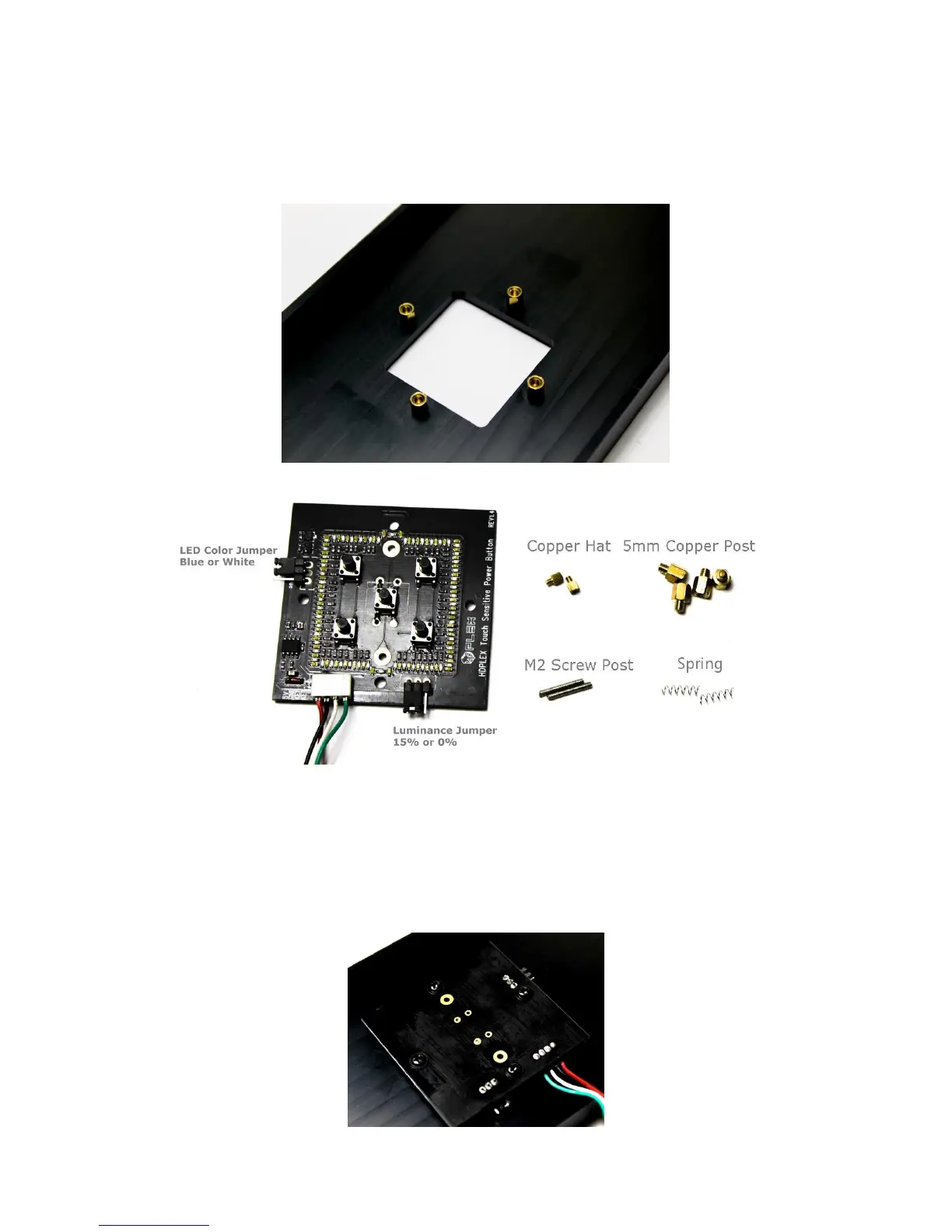
Install four 5mm copper posts into the backside of the H5 faceplate.
The PCB’s jumpers can be adjusted. If the luminance jumper is set to 0%, the
LED will emit full light and gradually reduce to zero light, 30 seconds after being
activated, by touching the aluminum power button.
Install the PCB to the 5mm copper posts on the faceplate using four M3*5 Round
Head Screws with Cushions A.



 To Next Page