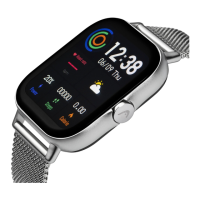
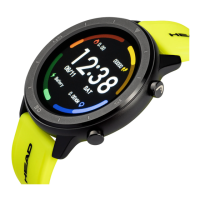
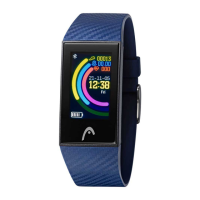
Need help?
Do you have a question about the HEAD Advantage and is the answer not in the manual?
Controls activity progress display and mode switching.
Allows setting the watch's current time.
Enables remote control functions for the connected phone.
Instructions for powering the HEAD Advantage watch on and off.
Download the "Advantage" app and turn on phone's Bluetooth.
Press and hold the 3rd button to power on the watch.
Open the app and grant permission for notifications.
Configure your personal details like age, gender, height, and weight.
Keep watch near phone and tap on watch photo to start the connection.
The app searches for the watch and establishes a connection.
Wait for LED indicators to flash and press the 1st button to connect.
Accept the Bluetooth pairing request on your smartphone to complete pairing.
Monitor daily activity progress, steps, distance, and calories burned.
Get alerts for calls, texts, emails, and inactivity reminders.
Set vibration alarms and use the 3rd button for remote camera control.
Track sleep duration/quality and switch between Activity/Sleep modes.
 General
| Display Type | LCD |
|---|---|
| Case Material | Plastic |
| Strap Material | Silicone |
| Connectivity | Bluetooth |
| Sensors | Heart rate monitor |
| Functions | Time, Date, Heart Rate, Notifications |


 To Next Page