EasyManua.ls Logo

HEAD Seoul - User Manual

HEAD Seoul
7 pages
Print Icon
To Next Page IconTo Next Page
Loading...
QUICK START GUIDE
Seoul
Question and Answer IconNeed help?

Do you have a question about the HEAD Seoul and is the answer not in the manual?

Summary

Getting Started

Download Companion App

Download the companion app from www.headwatches.com/app on your smartphone.

Charge Smartwatch

Connect the USB plug of your smartwatch to any USB connection to load the battery.

Power On Smartwatch

Press and hold the Touch Key to start your smartwatch.

Pair via Bluetooth

Pair your smartwatch with your smartphone via Bluetooth.

Begin Smartwatch Usage

Start using your smartwatch once both devices are connected.

Device Operation and Charging

Device Components and Controls

Identifies key physical parts like Display, Touch Key, Sensors, and USB Plug.

Powering On and Off

Instructions for starting and shutting down the smartwatch using the Touch Key.

Initial Battery Charging

Guidance on charging the smartwatch via USB if the battery is empty.

Navigating and Customizing Your Smartwatch

Touch Key Navigation Basics

Use the Touch Key to access different areas and return to the start screen.

Menu Navigation Flow

Short clicks move through areas; press-hold selects. Lists menu items like Steps, HRV, Breathe.

Change Watch Dial Design

Change the dial design via the app and confirm with the Touch Key.

Smartwatch Functions

Using Core Functions

Explains using functions like heart rate testing and accessing the function menu.

Function Measurement Details

Note that measurements take seconds and results are shown at the end of the test.

Closing Functions

Press and hold the Touch Key to close all functions and return to the start screen.

More Detailed Information

Accessing User Manuals

For more information, visit user manuals at www.headwatches.com.

Overview

This document serves as a Quick Start Guide for a smartwatch, likely branded "HEAD WATCHES" and identified with the model name "Seoul." The guide outlines the initial setup, basic navigation, and key functions of the device.

Function Description:

The HEAD WATCHES Seoul smartwatch is designed to be a personal health and activity tracker, offering various functions to assist in daily life and provide health-related information. Its primary purpose is to monitor and display data such as body and skin temperature, steps taken, heart rate variability (HRV), and to guide breathing exercises. It also includes a "Sport mode" for tracking physical activities and a "Tool" menu for device settings. The smartwatch can be paired with a smartphone via Bluetooth, allowing users to download a companion app for further functionality and customization, such as changing the watch dial design.

Important Technical Specifications (Inferred):

  • Connectivity: Bluetooth for pairing with a smartphone.
  • Charging: USB plug integrated into a removable strap for battery charging.
  • Input: Touch Key for navigation and selection.
  • Display: A screen for showing information and watch dials.
  • Sensors: Likely includes sensors for body and skin temperature, step counting, and heart rate variability (HRV) detection.

Usage Features:

  • Getting Started:
    1. Download the companion app from www.headwatches.com/app on a smartphone.
    2. Charge the smartwatch by connecting its integrated USB plug to any USB connection. The guide emphasizes charging at the beginning if the battery is empty.
    3. Press and hold the Touch Key to power on the smartwatch.
    4. Pair the smartwatch with the smartphone via Bluetooth.
    5. Once connected, the smartwatch is ready for use.
  • Power On/Off:
    • To start: Press the Touch Key for a few seconds.
    • To switch off: Navigate to the "Tool" menu, select "Power off," and then press the Touch Key for a few seconds to confirm the shutdown.
  • Navigation:
    • The smartwatch is navigated using a single "Touch Key."
    • "Short clicking" the Touch Key allows users to cycle through different areas or menus of the watch, such as "Start Screen," "Body & Skin temperature," "Steps," "Detection," "HRV," "Breathe," "Information," "Sport mode," and "Tool."
    • Continuing to click through the selection will eventually bring the user back to the start screen.
    • To select a specific area, function, or exercise, users need to "press and hold" the Touch Key for a few seconds.
  • Functions:
    • The smartwatch offers various functions, including heart rate testing.
    • To use a function: Click the Touch Key to enter the function menu, then press and hold to select the desired function.
    • Measurements (e.g., heart rate) may take a few seconds to display the value, with the final result shown at the end of the test.
    • All functions can be closed by pressing and holding the Touch Key to return to the start screen.
  • Customization:
    • Change Your Dial: Users can change the watch dial design by selecting a new one within the companion app. After selection in the app, confirm the dial by clicking the Touch Key on the smartwatch. Once synchronized, the new dial will automatically be displayed.

Maintenance Features:

  • Charging: The smartwatch features a unique charging mechanism where one end of the strap can be removed to reveal a USB plug. This allows for direct connection to any USB port for charging the battery. The guide explicitly states to use the USB plug as shown in the diagram for charging.
  • Software/Firmware Updates: While not explicitly detailed in the provided pages, the mention of a companion app and a website for user manuals suggests that software updates or additional support might be available through these channels.

The guide emphasizes ease of use with its single Touch Key navigation and clear, step-by-step instructions for initial setup and function access. For more comprehensive information, users are directed to www.headwatches.com for user manuals. The brand "HEAD" is identified as a registered trademark used under license by ELYSEE GROUP.
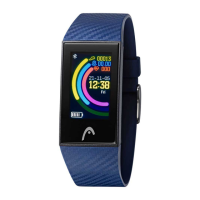
HEAD Seoul Specifications

General IconGeneral
BrandHEAD
ModelSeoul
CategoryWatch
LanguageEnglish

Related product manuals