QUICK START GUIDE
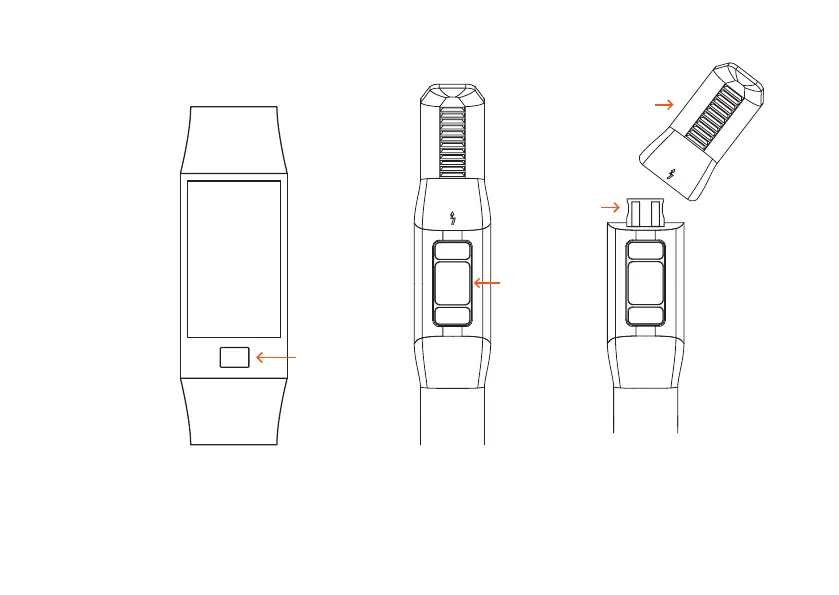
DISPLAY
TOUCH KEY
Press the Touch Key for some seconds
to start your smartwatch. If you want to switch off
your smartwatch, enter the Tool menu, choose Power
off and also press the Touch Key for a few seconds to
confirm the shutdown.
You may have to charge the smartwatch
at the beginning if the battery is empty.
Use the USB plug as shown above.
SENSORS
REMOVED STRAP
USB PLUG


 To Next Page