EasyManua.ls Logo

Heath Zenith SECUR360 9302 - User Manual

Heath Zenith SECUR360 9302
28 pages
Print Icon
To Next Page IconTo Next Page
Loading...
To see operational and troubleshooting information and videos,
go to www.hzsupport.com
Dated receipt required for warranty replacement.
FEATURES
Wi- connectivity
• Voice-activated
180° Motion sensor
Energy saving LED
UNPACKING
Be sure to remove all contents from packaging and verify
all items are present before assembling this light xture.
is package includes the following items:
Security Light
Owners Manual
SECUR360 App Quick Start Guide
Mounting Hardware
© 2019 HeathCo LLC 210063-02A
Connected LED Wired
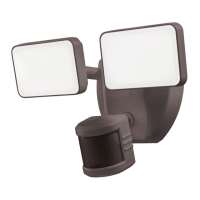
Security Motion Light
Model: 9302
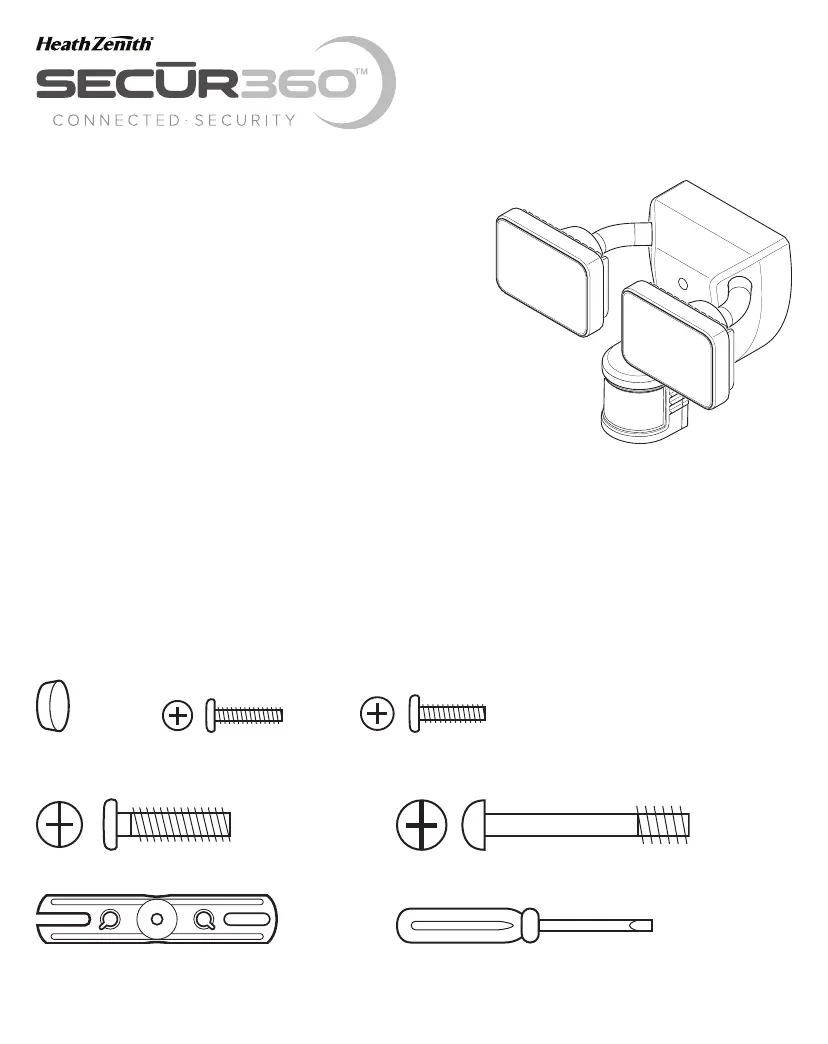
HARDWARE INCLUDED
Note: Six mounting bracket screws are included. e installation will only require two. Discard the unused mounting
bracket screws after installation.
Plastic plug #6 Mounting Bracket #8 Mounting Bracket
Screw (x2) Screw (x2)
Mounting Bolt Mounting Bolt (Pre-Installed in Light Fixture)
FRONT
Mounting Bracket Mini Screwdriver

Questions and Answers

  • L
    Leah RodriguezAug 1, 2025
    How to stop Heath Zenith SECUR360 9302 Flood Light from flashing on and off?
    • U
      ublairAug 2, 2025
      If your Heath Zenith flood lights are flashing on and off, here are some potential causes and solutions: * Heat or light from the lamp heads may be turning the motion sensor on and off. Reposition the lamp heads away from the motion sensor. * Heat being reflected from other objects may be triggering the motion sensor. Decrease the sensitivity setting or reposition the motion sensor. * The “Full Brite Time” might be in “TEST” mode and warming up. While in TEST mode, the light only stays on for 5 seconds. Set the “Full Brite Time” in the app to the 1, 5, or 20 minute setting. * A utility company may have installed a Smart Meter device close to the light fixture. Relocate the light fixture away from this type of meter.
  • S
    Sheila MurphyAug 6, 2025
    What to do if Heath Zenith Flood Light flashes then stays off in manual mode?
    • M
      mathew25Aug 6, 2025
      If your Heath Zenith flood light flashes once and then stays off in manual mode, it could be because the motion sensor is detecting light from the lamp heads. Reposition the lamp heads to keep the area below the motion sensor relatively dark.
  • K
    Kathleen JacksonAug 10, 2025
    Why won't my Heath Zenith SECUR360 9302 Flood Light turn on?
    • E
      Elaine Miller MDAug 10, 2025
      There are several reasons why your Heath Zenith Flood Light might not be turning on: * The light switch might be off. In this case, turn the light switch on. * A fuse could be blown, or the circuit breaker might be off. Replace the fuse or turn the circuit breaker on. * The daylight turn-off (photocell) feature might be active. Recheck after dark. * If it's a new installation, the circuit wiring might be incorrect. Verify that the wiring is correct. * The motion sensor could be aimed in the wrong direction. Re-aim the motion sensor to cover the desired area. * The outside air temperature might be close to a person’s body heat. Increase the sensitivity setting. * The light may have been turned “OFF” using the app. Use the app to set the light to “AUTO” mode.
  • P
    Paul ChaseAug 14, 2025
    Why does my Heath Zenith SECUR360 9302 Flood Light stay on continuously?
    • T
      Tracy WalkerAug 14, 2025
      Your Heath Zenith flood light may stay on continuously due to several reasons: * The motion sensor might be picking up a heat source like an air vent, dryer vent, or brightly painted, heat-reflective surface. Try decreasing the sensitivity setting or repositioning the motion sensor. * The light may have been turned “ON” using the app. Use the app to set the light to “AUTO” or “OFF” mode. * The light fixture might be wired through a dimmer or timer. Do not use a dimmer or timer to control the light fixture; replace it with a standard on/off wall switch. * The light fixture could be on the same circuit as a motor, transformer, or fluorescent bulb. Install the light fixture on a circuit without motors, transformers, or fluorescent bulbs.
  • C
    claudiaericksonAug 18, 2025
    What to do if Heath Zenith Flood Light comes on for no reason?
    • M
      Melissa Harmon DDSAug 18, 2025
      If your Heath Zenith flood light is activating without any apparent cause, consider the following: * The motion sensor could be detecting small animals or automobile traffic. Try decreasing the sensitivity setting or repositioning the motion sensor. * The sensitivity setting might be too high. Decrease the sensitivity setting. * The “DualBrite Time” in the app might be in the 3 hour, 6 hour, or dusk-to-dawn setting. The light fixture is operating normally under these circumstances. * The outside temperature could be much warmer or cooler than a person’s body heat (summer or winter). Decrease the sensitivity setting. * The light fixture might be wired through a dimmer or timer. Avoid using a dimmer or timer; replace it with a standard on/off wall switch.
  • B
    Brooke McdonaldAug 23, 2025
    Why does my Heath Zenith SECUR360 9302 Flood Light come on during the day?
    • N
      Nicole LewisAug 23, 2025
      If your Heath Zenith Flood Light is activating during the day, it could be due to: * The motion sensor being installed in a relatively dark location. The light fixture is operating normally under these circumstances. * The “Full Brite Time” in the app being set to “TEST”. Set the “Full Brite Time” in the app to the 1, 5, or 20 minute setting.
  • A
    Alexander RileyAug 27, 2025
    Why does Heath Zenith Flood Light turn off late in Dusk-to-Dawn setting?
    • D
      donpriceAug 27, 2025
      If your Heath Zenith flood light turns off too late in Dusk-to-Dawn setting, it might be because the light fixture is installed in a relatively dark location. Relocate the light fixture or use the 3 hour or 6 hour setting.

Summary

Important Safety and Installation Information

Installation

Wiring

Details connecting electrical wires to the terminal block and ground screw for proper electrical connection.

Final Assembly

Covers aligning the fixture, inserting pins into the terminal block, and securely tightening the mounting bolt.

Testing and Adjustments

Final Setup

LED Indicator

Important Considerations

Seasonal Changes

DualBrite Timer

Reset Button

Specifications

Troubleshooting Guide

Technical Service

One Year Limited Warranty

Heath Zenith SECUR360 9302 Specifications

General IconGeneral
BrandHeath Zenith
Model NumberSECUR360 9302
TypeFlood Light
Power SourceHardwired
Voltage120V
Light SourceLED
Lumens1800
Color Temperature5000K
Motion SensorYes
Detection RangeUp to 70 feet
Motion Sensor Range70 feet
Detection Angle180 degrees
Weather ResistanceYes
Mounting TypeWall Mount
Adjustable HeadYes
ColorWhite
Warranty1 year
Weight2.5 pounds

Related product manuals