EasyManua.ls Logo

Heath Zenith SL-6005 - User Manual

Heath Zenith SL-6005
5 pages
Print Icon
To Next Page IconTo Next Page
Loading...
DRAFT COPY
© 2001 DESA International 598-1116-00
Features
Eight selectable channels available, so multiple remotes can be used in the
same home.
Car visor clip included for convenience.
Wireless 6-Button
Remote Control
Model SL-6005
Operation
Eight selectable channels allow the user to operate several
systems at different locations in your home. If purchasing
more than one wireless control system, select different
operating channels for each system or they will interact with
each other.
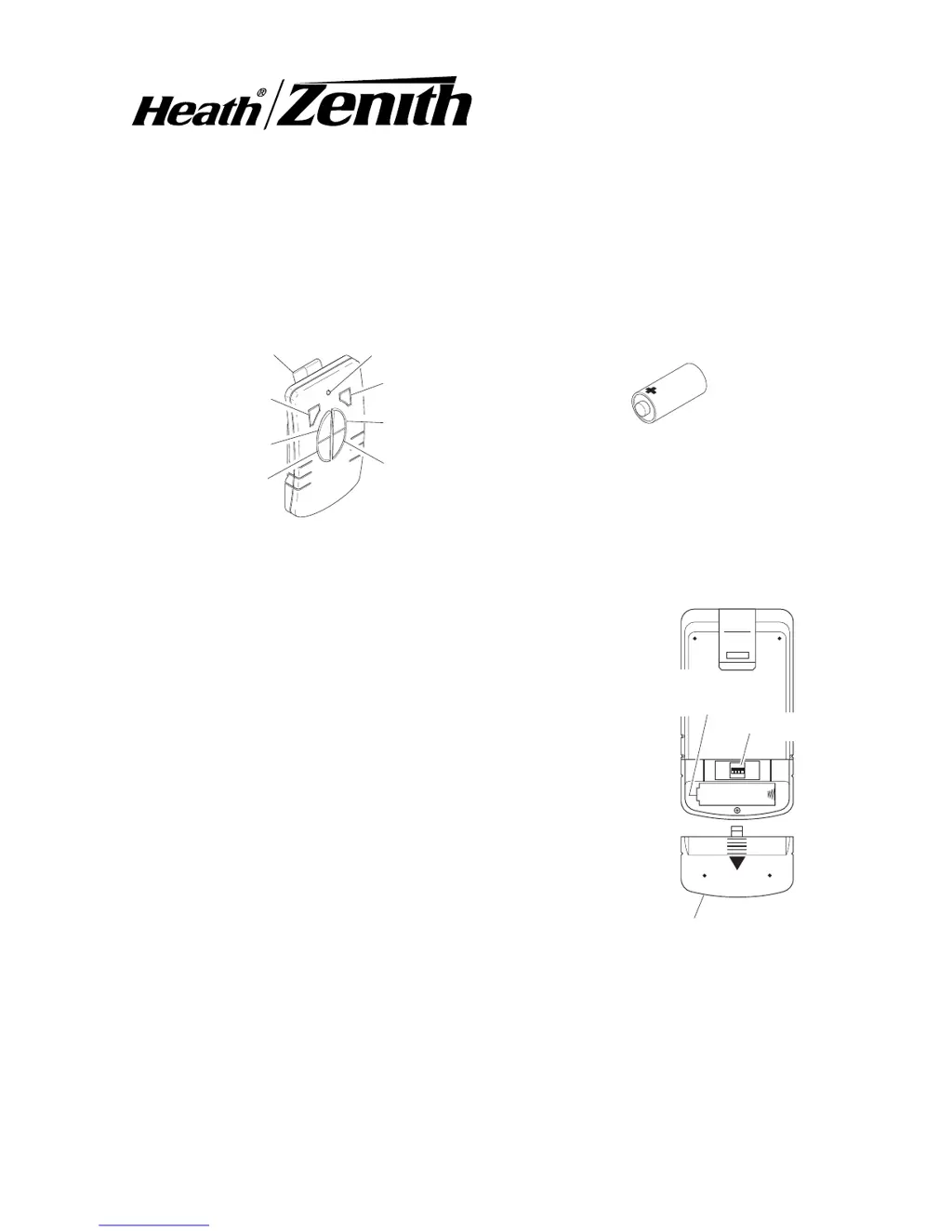
1. Install alkaline 12-volt remote battery (A23 type).
Remove cover from back of transmitter by pressing on
it with your thumb and sliding it off as shown in Figure
1. Using outline of battery chamber as a guide, align
battery with chamber and insert battery into remote.
Slide cover back onto transmitter.
2. Remote Control Functions.
Channel 1/2 ON: Turns ON any devices set to the same
channel as this remote control.
Channel 1/2 OFF: Turns OFF any devices set to the
same channel as this remote control.
Channel 1/2 DIM: Activates the DIM feature for any devices used with this
remote control that have the DIM feature built-in.
ON
1 2 3 4
Battery Cover
Battery
Channel 1, ON
Channel 1, OFF
Channel 2,ON
Channel 2, OFF
LED Indicator Light
Remote Control
12-Volt (A23 Type)
Battery (Included)
Car Visor Clip
Figure 1
Jumpers
Positive
Terminal
Channel 1, DIM
Channel 2, DIM

Questions and Answers

  • U
    urodriguezAug 1, 2025
    What to do if my Heath Zenith SL-6005 device does not come on?
    • A
      Angela HaleAug 2, 2025
      If your Heath Zenith Remote Control device isn't turning on, there are several potential causes. First, the device itself might be defective, so try using the remote with a different device. Second, the signals from the transmitter could be blocked, or the transmitter might be out of range; check for any metal objects that could be interfering with the signal, and try repositioning the transmitter. Other possible causes include a weak battery in the transmitter or mismatched dip switches on the remote and receiver module.
  • R
    rpalmerAug 15, 2025
    Why does my Heath Zenith SL-6005 device come on randomly?
    • T
      Thomas MaloneAug 15, 2025
      If your Heath Zenith Remote Control device is turning on randomly, it could be due to a short-term power line failure or another transmitter using the same channel.

Summary

Heath Zenith Remote Control Features

Operation and Remote Control Functions

Install Remote Battery

Instructions for installing the 12-volt battery into the remote control transmitter.

Remote Control Functions Overview

Details the ON, OFF, and DIM functions for channels 1 and 2.

Car Visor Clip Installation

Attach and Remove Visor Clip

Guide on how to attach the car visor clip and remove it from the remote control.

Channel Settings Configuration

Setting Remote and Module Channels

Instructions for locating and setting dip switches on the remote and module for channel selection.

Specifications and Troubleshooting

Product Specifications

Lists the operational range and battery type for the remote control.

Troubleshooting Guide

Provides common symptoms and their possible causes for device malfunction.

Regulatory Compliance Information

Details FCC and Industry Canada compliance, including user cautions.

Heath Zenith One Year Limited Warranty

Heath Zenith SL-6005 Specifications

General IconGeneral
BrandHeath Zenith
ModelSL-6005
CategoryRemote Control
LanguageEnglish

Related product manuals