EasyManua.ls Logo

HECATE G2BT User Manual

HECATE G2BT
7 pages
To Next Page IconTo Next Page
Page #1 background imageLoading...
Page #1 background image
Model: EDF700033
FCC ID: Z9G-EDF196
IC: 10004A-EDF196
Edifier International Limited
P.O. Box 6264
General Post Office
Hong Kong
www.edifier.com
©2022 Edifier International Limited. All rights reserved.
Printed in China
www.hecategaming.com
Designed by DONGGUAN EDIFIER ESPORTS TECHNOLOGY CO., LTD.
NOTICE:
For the need of technical improvement and system upgrade, information
containedherein may be subject to change from time to time without prior notice.
Products of EDIFIER will be customized for different applications. Pictures and
illustrations shown on this manual may be slightly different from actual product.
If any difference is found, the actual product prevails.
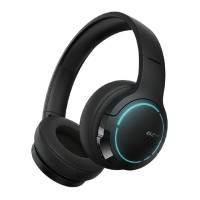
LOW LATENCY BLUETOOTH GAMING HEADSET
Quick Start Guide
Input:5V 500mA
Note: Images are for illustrative purposes only and may differ from the actual
product.
Multi-function "G" button
LED indicator
Volume down button
Charging port
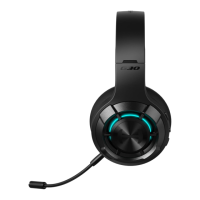
Microphone
Volume up button
White indicator blinks = low battery
Blue indicator steady lit = charging
Blue indicator off = fully charged
1. For initial use, the headset will auto-enter Bluetooth pairing state.
2. For subsequent use, power on and press and hold the multi-function "G" button for
3s to enter Bluetooth pairing state.
Power on/off
3s/5s
User manualBrand stickerBrand card
Charging cable
Bluetooth
Bluetooth
Setting
HECATE G2BT
My Device
x1
Music/game mode
End a call
Reject a call
Play/pause
When Bluetooth is not connected after power on, press and hold the volume up "+"
and volume down "-" button simultaneously for 3s to reset.
Volume down
Previous track
x2
x1
2s
3s
x1
Voice assistant
x3
Accept a call
x1
Volume up
Next track
x1
2s
3s
Light effects on/off
*Press and hold the multi-function "G" and volume up "+" button simultaneously
EN 1. Product Description
2. Product Accessories
3. Power ON/OFF
4. Charging
5. Pairing
6. Reset
7. Controls
For more information, please visit our website:
Question and Answer IconNeed help?

Do you have a question about the HECATE G2BT and is the answer not in the manual?

HECATE G2BT Specifications

General IconGeneral
TypeOver-ear
Driver Size40mm
Frequency Response20Hz-20kHz
MicrophoneYes
Impedance32Ω
Bluetooth version5.0
Charging portUSB-C
Charging Time2 hours
ConnectivityBluetooth
Bluetooth profilesA2DP, AVRCP, HFP

Summary

Product Description and Components

Headset Components Identification

Identifies key parts of the headset including LED indicator, multi-function button, volume buttons, charging port, and microphone.

Included Product Accessories

Accessory List

Lists the items included with the headset: charging cable, brand card, brand sticker, and user manual.

Powering the Headset On and Off

Power On/Off Procedure

Instructions on how to power the headset on or off by pressing the multi-function button for 3-5 seconds.

Charging the Headset

Charging Status Indicators

Details the meaning of indicator lights during charging and when fully charged, along with input power specifications.

Bluetooth Pairing Guide

Pairing Modes

Explains the automatic pairing for initial use and manual pairing by holding the multi-function button for subsequent uses.

Resetting the Headset

Reset Method

Describes how to reset the headset by simultaneously pressing the volume up and volume down buttons for 3 seconds.

Headset Controls and Operations

Multi-function Button Actions

Details functions of the 'G' button: play/pause, call management, music/game mode, and voice assistant activation.

Volume and Track Controls

Explains how to adjust volume and navigate tracks using the '+' and '-' buttons, including press duration.

Light Effects Toggle

Instructions on turning the headset's light effects on or off by pressing the 'G' and volume up '+' buttons.

Related product manuals