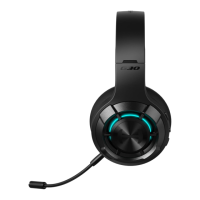
When the headset is powered o, press and hold the " " button for 10 seconds
until the red light ashes rapidly and o, then the facto settings have been
restored.
When the headset is powered o, press and hold the " " button for 5 seconds.
Select "HECATE G4 S" in your device setting to connect.
Microphone
Headset status indicator
Charging cable
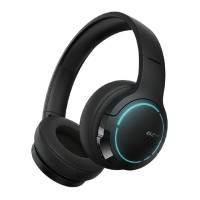
ULTRA LOW LATENCY DUAL MODE WIRELESS GAMING HEADSET
Bluetooth
Inse the adapter, the headset switch to 2.4G Bluetooth mode and automatically
connect successfully.
Inse the adapter into a Type-C device
Inse the adapter into a USB device
Note:
•Images are for illustrative purposes only and may dier from the actual product.
•For the need of technical improvement and system upgrade, information and
specications contained herein may be slightly dierent from actual product. If
any dierence is found, the actual product prevails.
•The headset and adapter are facto-bound as a pair, please keep them carefully.
If lost, you need to return the headset or adapter to us for upgrade binding.
1
2
Power on/o button
Microphone indicator
Microphone mute/unmute
Volume control
Type-C charging po
Bluetooth/2.4G Bluetooth
Microphone
Microphone mute/
unmute
Pairing
Answer a call
End a call
Reject a call
Play/pause
Music/game mode
Light on/o
Power on/o
it is enabled by default when the headset is turned on,
and eective in the conversations
2.4G Bluetooth
Bluetooth
Manual
Multi-function adapter
USB po
Type-C po
RGB light
Bounce up
Bluetooth
Bluetooth
Setting
HECATE G4 S
My Device
Bluetooth
Bluetooth
Setting
HECATE G4 S
My Device
2.4G Bluetooth
5s
Press Down
Press Down
3s/5s
3s
3s
x2
x1
x2
x1
x1
x1
L
R
Model: EDF700026
Adapter Model: EDF700027
Edif ier International Limited
P.O. Box 6264
General Post Oce
Hong Kong
www.edif ier.com
© 2022 Edif ier International Limited. All rights reseed.
Printed in China
www.hecategaming.com
Designed by DONGGUAN EDIFIER ESPORTS TECHNOLOGY CO.,LTD.
NOTICE:
For the need of technical improvement and system upgrade, information contained
herein may be subject to change from time to time without prior notice.
Products of EDIFIER will be customized for dierent applications. Pictures and
illustrations shown on this manual may be slightly dierent from actual product. If
any dierence is found, the actual product prevails.
User manual
EN 1.Product description and accessories
2. Connection mode
3. Controls
4. Reset (use with caution)
For more information, please visit our website:

 Need help?
 General

 To Next Page