EasyManua.ls Logo

Hedy HD700 Series - User Manual

Hedy HD700 Series
40 pages
Print Icon
To Next Page IconTo Next Page
Loading...
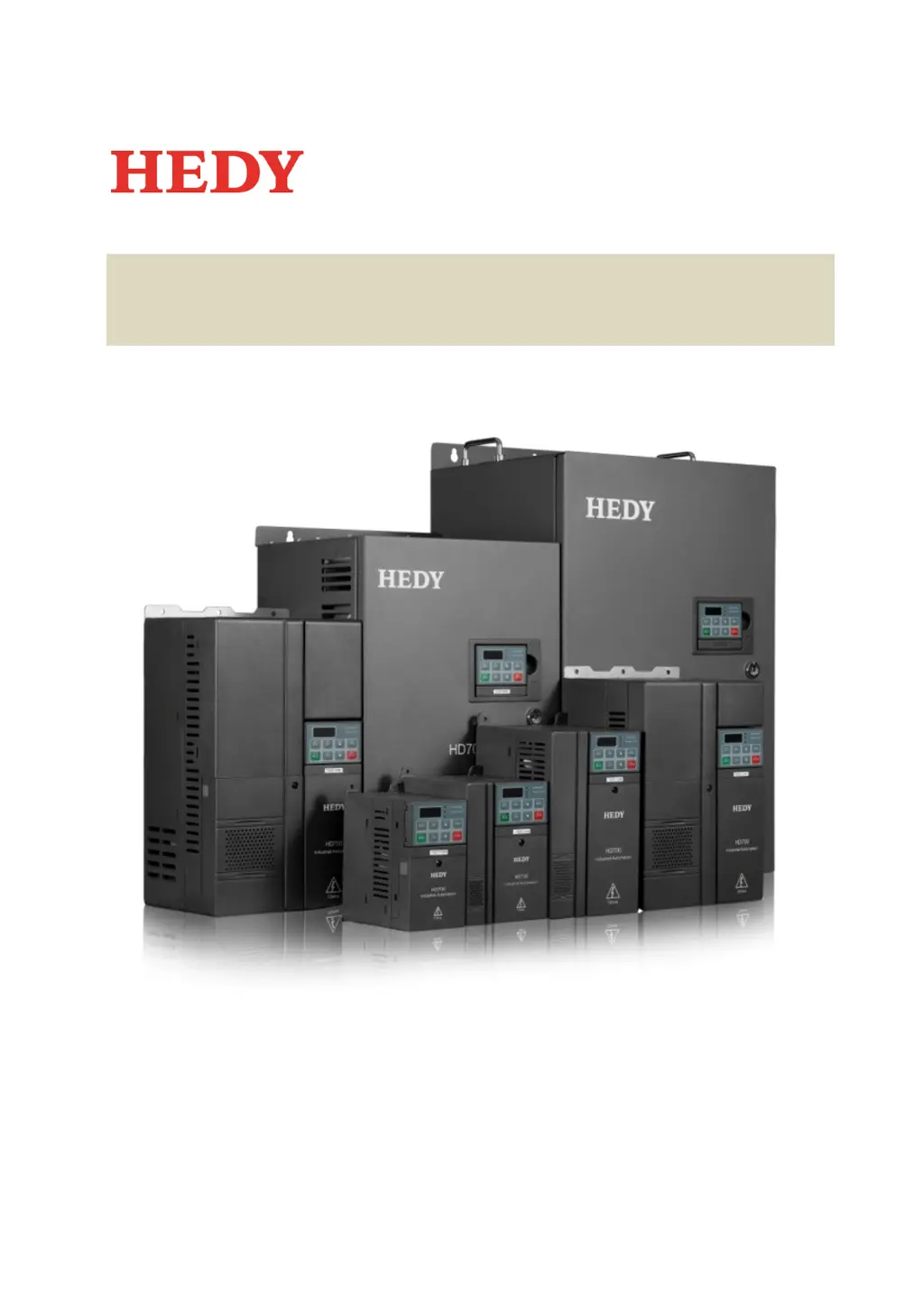
HD700 Easy start guide
(0.4kW~90
kW)
V1.
4
.0

Questions and Answers

  • J
    Jessica StewartSep 8, 2025
    What to do if Hedy HD700 Controller experiences User +24V supply overload?
    • D
      dennisoconnorSep 8, 2025
      If your Hedy Controller shows a User +24V supply overload, check if there is a short circuit on the output of +24V, DO1 or DO2.
  • N
    Nicholas AguilarAug 23, 2025
    What to do if Hedy HD700 Controller auto-tune failed?
    • P
      Phillip SimpsonAug 23, 2025
      If the auto-tune process fails on your Hedy Controller, there could be a few reasons. First, the drive size might not match the motor power size; if this is the case, change the drive to the correct rating. Second, the wrong motor data might have been set, so enter the correct motor nameplate data into the drive. Finally, the user might have attempted to stop the drive before the auto-tune finished. Try to autotune again, and do not attempt to stop the drive when the autotune is taking place.
  • D
    dfloresAug 25, 2025
    What causes Hedy HD700 current limit to be active?
    • M
      Michael AlvarezAug 26, 2025
      The current limit being active on your Hedy Controller can stem from a few issues. It may be because the output current has reached the value set in P07.03 (current limit), possibly due to the drive trying to accelerate the load faster than it is able with the value set in P07.03. If the actual acceleration rate achieved in the application is acceptable then there is no need to adjust parameters. If faster acceleration is required with the maximum value set in P07.03 then a larger motor and drive may be needed. Another cause may be an excessive load on the motor, so check the load. Also, the motor might be spinning on start, so check P03.05 (start mode) is set correctly.
  • X
    xdavisAug 26, 2025
    What to do if Hedy HD700 Controller has output motor terminal short circuit at power up?
    • K
      Kevin CollinsAug 27, 2025
      If your Hedy Controller shows an output motor terminal short circuit at power up, it's likely due to a short circuit in the output motor terminal. You should check the motor wiring and motor insulation.
  • M
    Michelle PadillaAug 28, 2025
    What to do if Hedy Controller indicates EEPROM read & write failure?
    • D
      Daniel JenkinsAug 28, 2025
      If your Hedy Controller displays an EEPROM read & write failure, it means an error occurred when reading or writing the control word. Press the STOP key to reset the drive and try again.
  • J
    Juan BridgesSep 22, 2025
    What to do if Hedy HD700 has Drive software issue?
    • P
      paul09Sep 22, 2025
      If your Hedy Controller has a drive software issue, it indicates an MCU or DSP failure. Contact the supplier of the drive.
  • K
    Kaitlyn GuzmanSep 16, 2025
    What to do if Hedy HD700 has Over current during power up?
    • P
      Paul ClementsSep 16, 2025
      If your Hedy Controller shows an over current during power up, it indicates a current sense circuit failure. Contact the supplier of the drive.
  • S
    selliottSep 18, 2025
    What to do if Hedy HD700 has IGBT thermistor failure?
    • E
      Elizabeth MurphySep 18, 2025
      If your Hedy Controller displays an IGBT thermistor failure, it means there is an IGBT failure. Contact the supplier of the drive.
  • D
    Daniel EatonSep 7, 2025
    What to do if Hedy HD700 MCU receives wrong data from DSP?
    • R
      Richard RamirezSep 7, 2025
      If the MCU receives wrong data from DSP in your Hedy Controller, it could be due to external disturbance, so check cable layout. It could also be an internal drive fault, in which case you should contact the supplier of the drive.
  • D
    David SmithSep 4, 2025
    What to do if Hedy HD700 Controller control fan fault (30kW and above)?
    • J
      Joshua CoxSep 4, 2025
      If you're experiencing a control fan fault (30kW and above) with your Hedy Controller, check the fan blades because the fan blade might not be rotating correctly.

Summary

1 Safety information

2 Technical Specification

3 Installation

3.1 Mechanical installation

Covers the physical aspects of installing the drive, including parts identification and mounting dimensions.

3.2 Electrical installation

Details the wiring and electrical connection procedures for the drive, including terminal layouts and power connections.

5 Quick Commissioning

5.1 Quick commissioning in keypad control

Guides the user through basic setup and motor operation using keypad control for initial startup.

5.2 Quick commissioning in terminal control

Guides the user through basic setup and motor operation using external terminal control inputs.

7 Troubleshooting

7.1 Faults & corrective actions

Lists common trip codes, their descriptions, possible reasons, and corrective actions for drive malfunctions.

Hedy HD700 Series Specifications

General IconGeneral
BrandHedy
ModelHD700 Series
CategoryController
LanguageEnglish

Related product manuals