→ Can be set only for non-FirstExposure layers
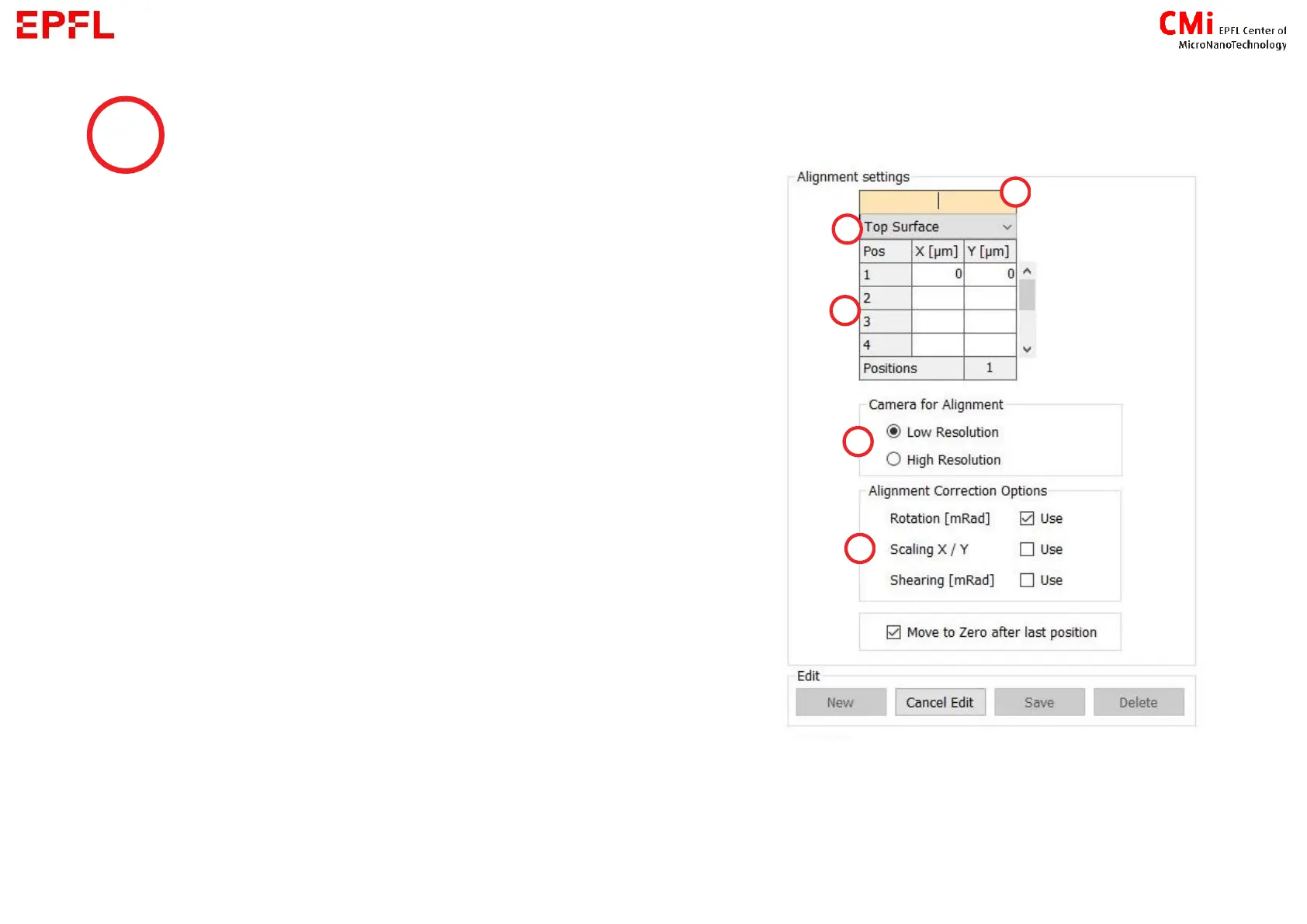
→ Load an alignment setting or create one :
a) Name : to find the settings later in the list
b) Top or Back side alignment (see next slide for more
information about backside alignment)
c) Position of the marks : enter the coordinates of your
marks
d) Camera for alignment : the one used during the
procedure
e) Alignment Correction Options :
- Rotation : minimum 2 marks
- Scaling and Shearing : minimum 3 marks
8



 To Next Page