Printed in U.S.A.
CONTROLS
The unit’s standard controls are located on the In-Cab
Control Panel and on the body. The standard controls in
the cab enable the hydraulic pump and the throttle
advance. The hydraulic controls are installed on the street
side of the body (tailgate and ejector panel controls) and on
the curb side of the body (upper panel and blade).
The controls for optional equipment are located on the curb
side of the body. These controls include cart tippers,
reeving mechanism and winch.
IN-CAB CONTROL PANEL
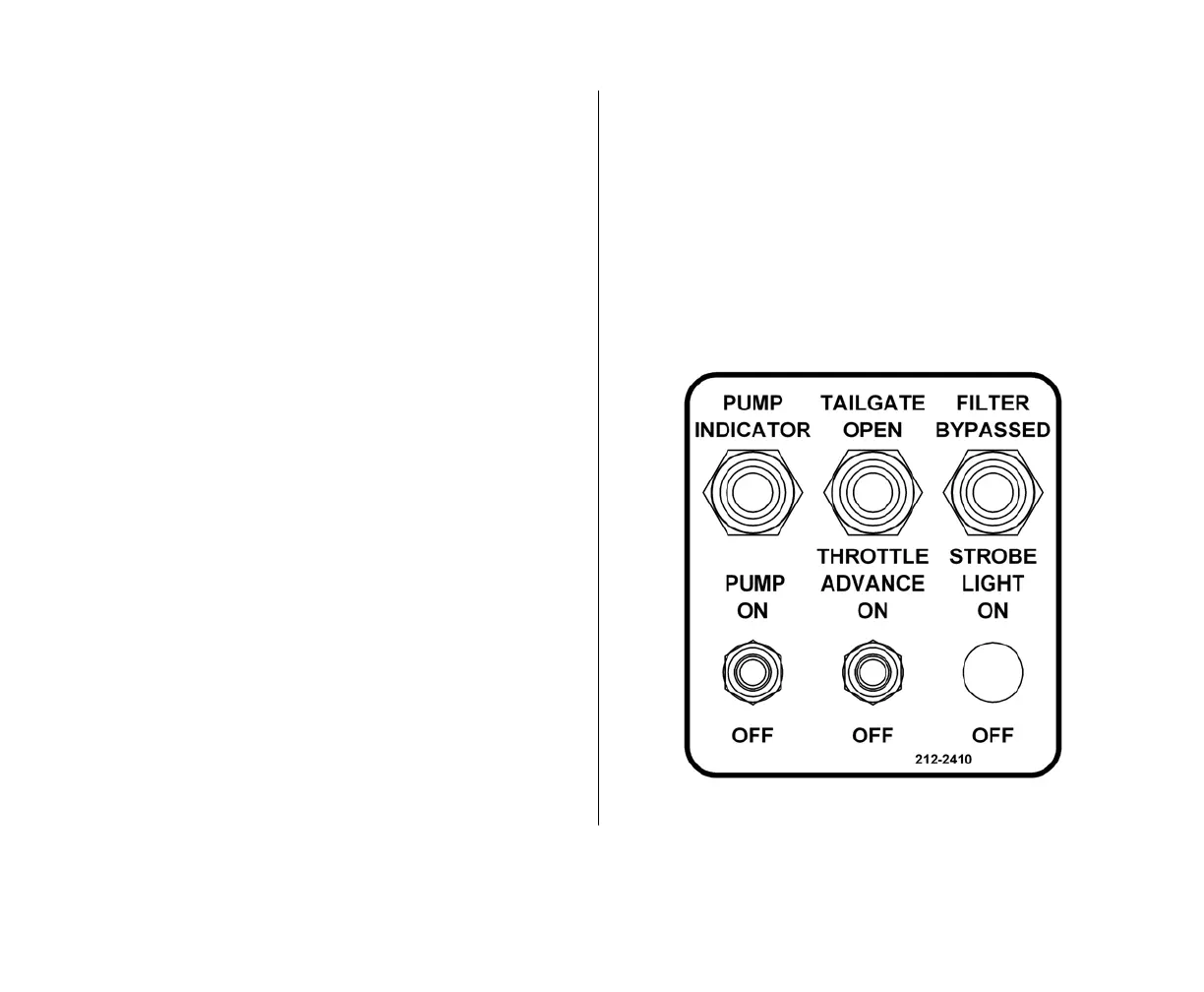
There is one basic main control panel for different models
of truck chassis. The control panel can be assembled in
various enclosures or locations depending on the truck
chassis. See the figure on the right side of this page.
The control panel has labels or markings that identify each
standard function and its operations. The panel has the
capacity for two options, an indicator light for a filter
bypassed condition and a switch to operate a strobe light.
Make sure you are familiar with the control panel in your
unit.
The labeling/marking scheme is straight-forward and
identifies a function and its operations. For example, look at
the figure below and find the PUMP ON switch and its ON
operation. The marking identifies the function (PUMP ON)
and its operation (ON). When you want to enable the
pump, for example, you MOVE the PUMP ON switch to the
ON position.
Similarly, the following instructions tell you to MOVE a
switch to a position (as given by the panel’s label/marking)
for the operation shown on the panel’s label/marking.


 To Next Page