7
Step 2:
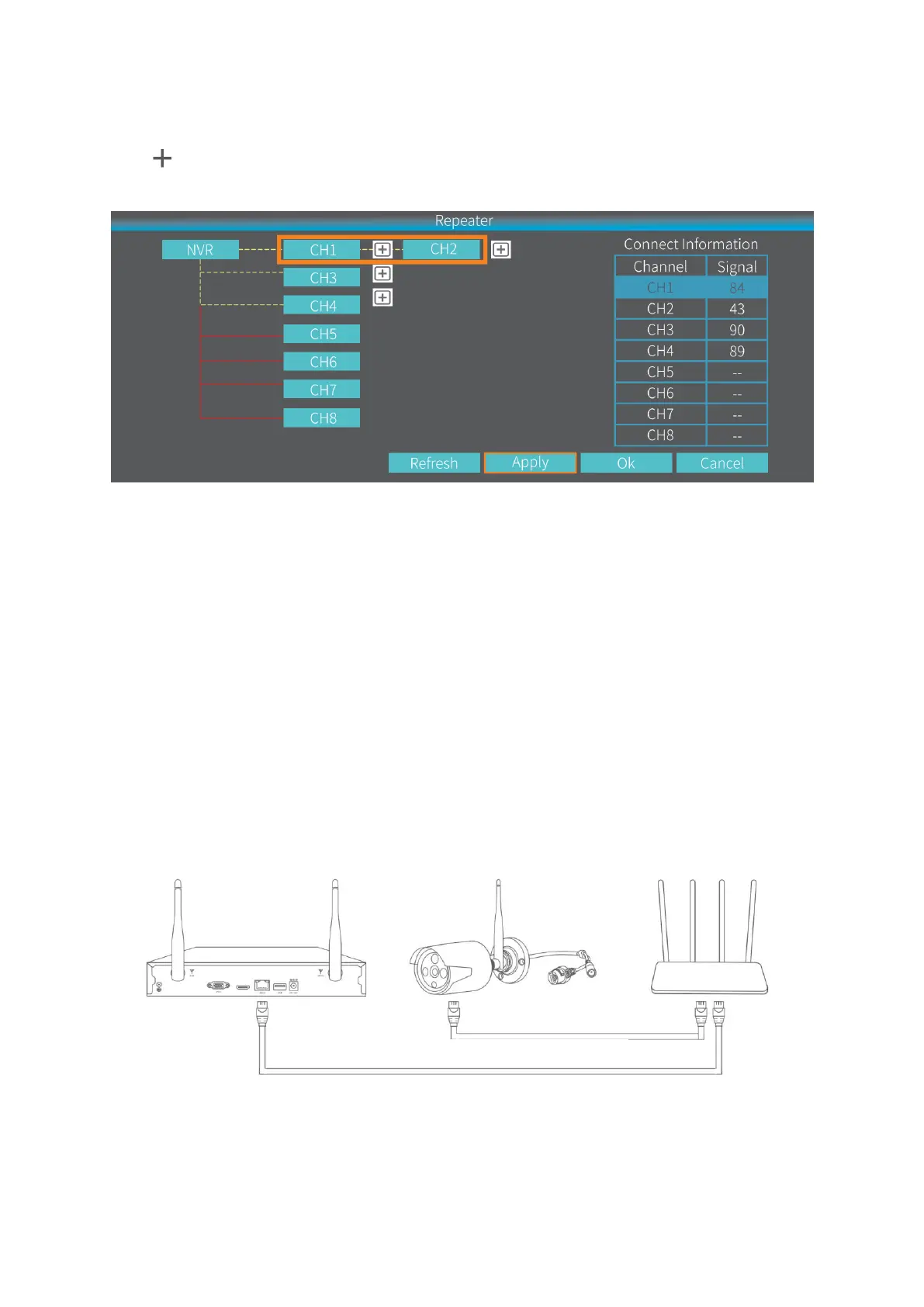
Click after CH1/IPCAM1, then select 2 to set IPCAM1 as a repeater. This means
CH2/IPCAM2 is connected to the NVR through CH1/IPCAM1.
Step 3:
Click Apply to finish the cascading connection. To check if it’s set successfully, please
click Refresh. To delete the Repeater, left click on the selected channel, then click Apply
and OK.
ADD A CAMERA THROUGH LAN CABLE
If the wifi signal is still too weak, you could switch to connect the IP camera with the NVR
system through LAN cable.
Step 1:
Connect the NVR system and the IP camera to the same router through LAN cable.
Step 2:
Right click on the main interface of NVR system to show Menu bar, then select Video
Manage.


 To Next Page