6
Get an extra Repeater Device
To extend the Wifi range, you can also install a Repeater device. Please refer to the user
manual of the Repeater device you bought for using it.
Set up Cascading Connection
Notes:
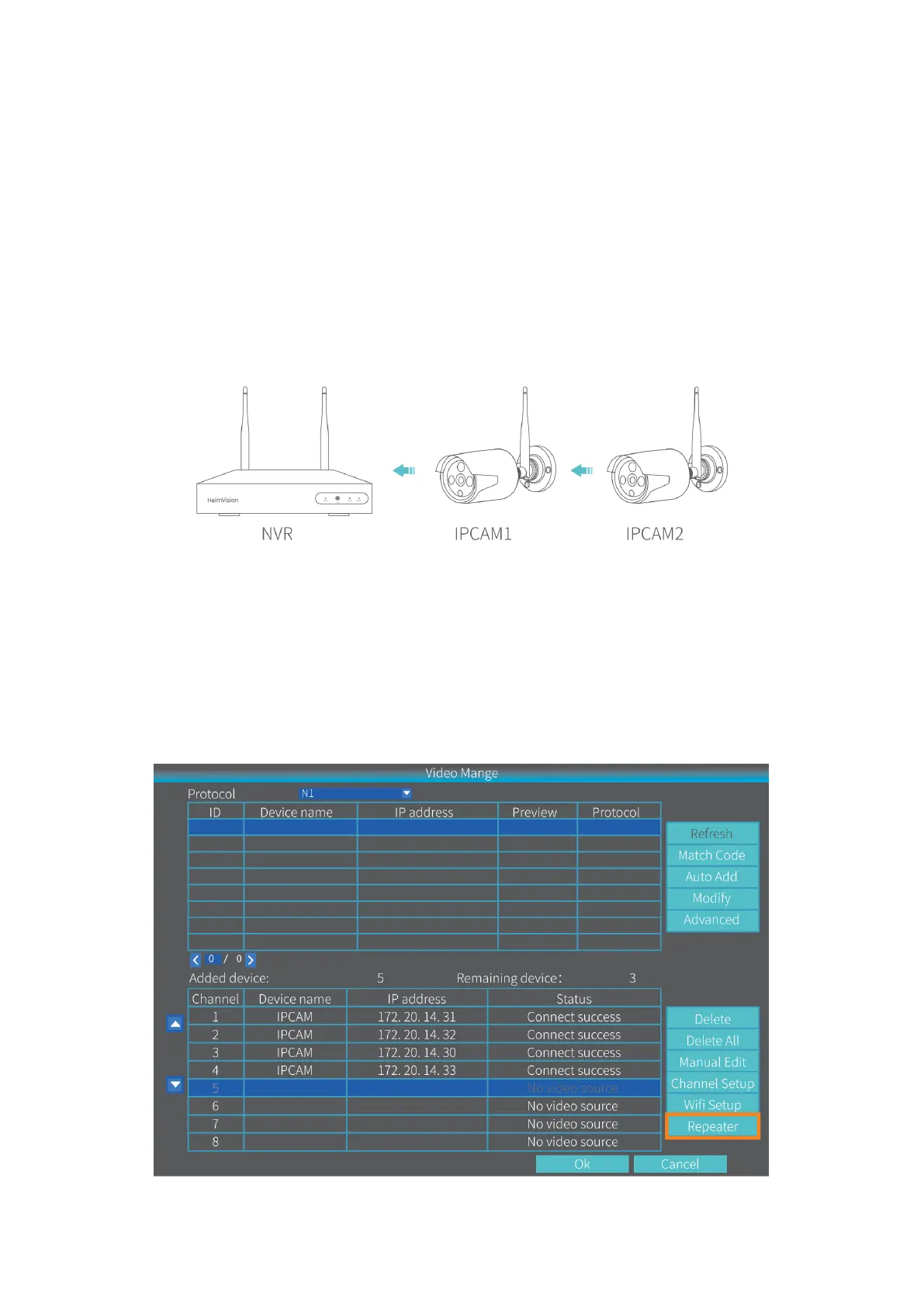
• When the IPCAM2 is installed out of the Wifi Range, but the IPCAM1 with strong Wifi
signal (check it from the live picture) or with smooth streaming is between the NVR
and IPCAM2, then you can set up the IPCAM1 as a virtual repeater following the
steps.
• This virtual Repeater function cannot strengthen the Wifi signal, but just help to
extend the Wifi distance by the IP Camera.
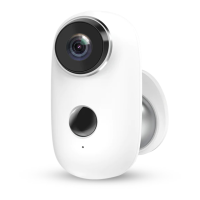
Step 1:
Right click to show the Menu bar, then click Video Manage > Repeater to enter the
Repeater setting.


 To Next Page