VI. How to add appliances and delete appliances
Add appliances
1. Open the ConnectLife app.
2. Go to menu in the upper left corner > Appliances > click ‘+‘ in the upper right corner or
picture in the bottom > ADD NEW APPLIANCE > Air treatment > select your appliance.
3. Follow the instructions of STEPS > NEXT > go to Settings of smartphone, connect smartphone
to the device (start with ‘HIS-’) > back to app and click SETTING > select wireless router in the
list and input the password, then waiting for pairing.
*One appliance can only be paired by one account. If anther account wants to pair the
appliance, the appliance must be unbound by the first account.
Notice:
•
Before pairing your device, please make sure your device is connected to the Internet
through a wireless router. The smartphone and the appliance can’t be paired through
3G/4G/5G cellular data service.
•
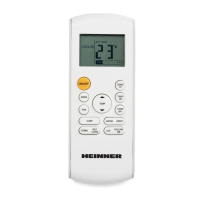
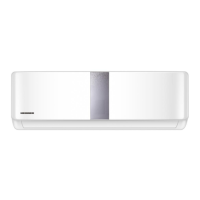
For an Air Conditioner: press Horizontal Airflow button 6 times on the remote and the
buzzer will sound 5 times, wait until the display shows "77".
Delete appliances
1. Open the ConnectLife app.
2. Go to menu in the upper left corner > Preferences > APPLIANCE SETTINGS, select appliance





 To Next Page