www.heinner.com 700W, 230V~50Hz
8
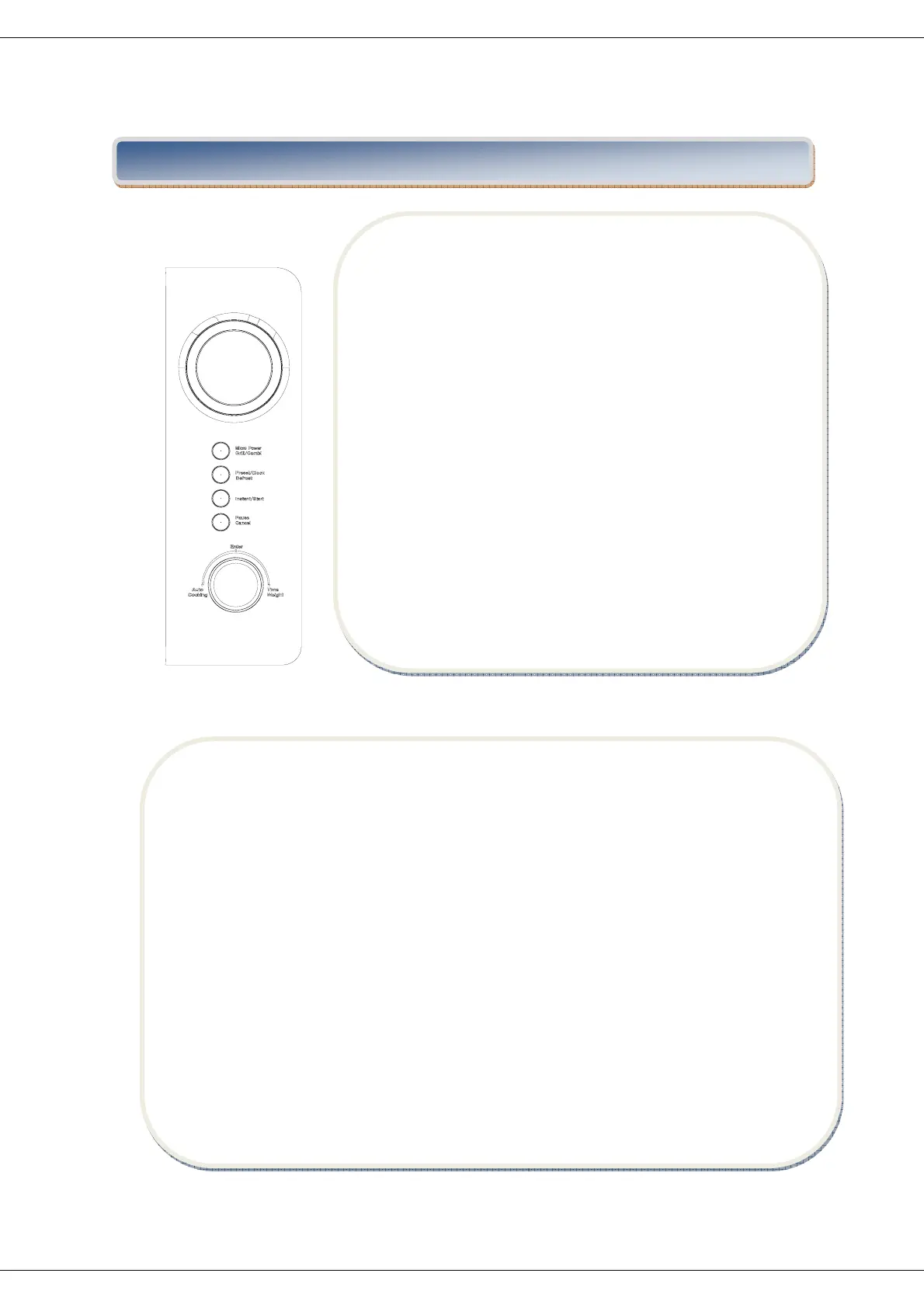
1.BEFORECOOKING
The LED flashes 3 times when plugged in power supply.
Thenitflashes“:”,promptingyoutoinputthecookingmenu
andtime.
2.AUTOCOOKING/TIME.WEIGHTKNOB
You can increase or decrease cooking time, weight or
choosetheautocookingmenuduringoperationbyturning
Auto
cooking/Time.Weightknob.
3.AUTOREMINDER
Whenyourpresetcookingprocedurehavefinished,theLED
displaywillshowEndandthreebeepssoundwillbeheard
to prompt you to take out food. If you do not press
Pause/Cancelbutton once oropenthedoor, the beep will
besoundedat
aninter valof3minutes.
VII. OPERATION OF CONTROL PANEL
5.INSTANTCOOKING
On the standby status, press Instant/Start button, the oven will start cooking with high
power for 1 minute. You can increase or decrease cooking time by turning Auto
cooking/ Time.Weightknob.
Note:Thisinstantcookingfunctionappliestooneoffollowingsituations:
a.Activateinstantcookingfunctionwithin2
minuteswhentheovendoorisclosed.
b.Activateinstantcookingfunctionwithin2minuteswhenthePause/Cancelispressed.
c. Activate instant cooking function within 2 minutes when the preset cooking program
finishes.
6.CLOCKSETTING
Preset/Clock.Defrostbuttonmakeitavailableforyoutoinputcurrentorpreset
timewhen
“:” flashes onto LED display after plugged in, or try to skip it over to continue if
unnecessary.


 To Next Page