The electric heating tube stops working and the fan stops running after 15 seconds.
Note: During cooking, you can touch the button to control the pause and start of cooking.
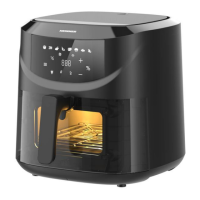
Button 2 –Preset Button
Selecting the Preset Button enables you to scroll through the 8 popular food choices. Once selected, the
predetermined time and cooking temperature function begins.
Button 3– Temperature time switch button
Touch this button, the screen alternately flashes the temperature and time, and the corresponding
temperature and time indicator light is lit, and the time and temperature are set according to the “5” key
and “6” key.
Button 4– Lighting switch button
Remark: The “LIGHT” can be pressed when icon light up, after press, the head lamp in chamber will light up
for 60second then “LIGHT” flash, after 60 second, head lamb turns off and “LIGHT” turn to solid.
Button 5&6 “-” and “+” Control Buttons
When the temperature of the scintillation screen and corresponding indicator, press “5” and “6”keys in turn
set, temperature control range is 80℃ to 200℃.Preset menu “Dried fruit” temperature adjustment range 30℃
to 80℃.
When the time of the scintillation screen and corresponding indicator, press “5” and “6”keys in turn set, time
control range is 0 minutes to 60 minutes. Preset menu "Dried fruit" time adjustment range 1 hour to 24 hours.
Indicator light “7”
Menu indicator
Indicator light “8”
Fan indicator
Indicator light “9”
Heating indicator
Indicator light “10”
Temperature unit indication
Indicator light “11”
Time unit indication
Indicator light “12”
Temperature/Time Display
6.Some ingredients require shaking halfway through the preparation time (see section “Settings” in this
chapter). To shake the ingredients, pull the pan out of the appliance by the handle and shake it. Then slide
the pan back into the I fryer.


 To Next Page