EasyManua.ls Logo

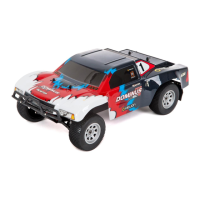
Helion Dominius10SCV2 - User Manual

Helion Dominius10SCV2
24 pages
Print Icon
To Next Page IconTo Next Page
Loading...
FOR HLNA0440
OWNER’S MANUAL
POWERED BY
Entire contents ©2014 Helion RC
Before using your product, review all documentation and inspect the products carefully. If for some reason you decide it is not
what you wanted, then do not continue with unpacking, setup or operation of your product. Your local hobby dealer cannot ac-
cept a product for return or exchange after partaking in actions that produce wear and tear.
Read, understand and follow all instructions and accompanying material carefully before operating or assembling your vehicle
to prevent serious damage to your vehicle. Failure to complete these tasks properly or intentional aversion to the content will be
considered abuse and/or neglect.
Product specifications are subject to change without notice. Due to ongoing development, the actual product may vary from
images shown.
This product contains chemicals known to the State of California to cause cancer and birth defects or other reproductive harm.
This product is not a toy! (14+) Recommended for ages 14 and up. Adult supervision required for ages under 18 years old.
Contains small parts, keep out of reach of children 3 years of age and younger.
LENGTH 540mm (21.26in)
WIDTH 290mm (11.42in)
HEIGHT 215mm (8.46in)
WHEELBASE 327mm (12.87in)
WHEEL DIAMETER O: 55.5mm (2.18in) x I: 76mm (2.99in) x W: 38.6mm (1.52in)
WHEEL OFFSET 12mm Hex, TRX/KYO Compatible
WEIGHT* 2523g (5lb-9oz)
BATTERY 3,000mAh NiMH 7-CELL, 8.4V
MOTOR Brushless 3,500kV 2-Pole Sensorless, Slotless
RADIO HRS-3.1 2.4GHz 3-CHANNEL
CHARGER AC 1Amp
*APPROXIMATE OUT-OF-THE-BOX WEIGHT
Scan this QR code
with your smart
phone to view the
getting started video
for this product.

Questions and Answers

  • C
    christensenbelindaJul 31, 2025
    What to do if the LED is flashing on the Helion Dominius10SCV2 Motorized Toy Car ESC?
    • A
      Alexander TylerAug 1, 2025
      If the Electronic Speed Control (ESC) LED is flashing on your Helion Motorized Toy Car, it indicates a protection mode is active. One flash per second means low voltage cut-off is active. Two flashes per second indicate ESC over-temperature protection. Three flashes per second signal ESC over-current protection. If you see any combination of these flashes, turn the ESC off, change the battery, and allow the system to cool down before using it again. Also, ensure your ESC is in the correct running mode for the type of battery you are using.
  • M
    Michael CannonAug 6, 2025
    Why my Helion Dominius10SCV2 Motorized Toy Car slowed down drastically during a run?
    • C
      Chelsea PachecoAug 6, 2025
      If your Helion Motorized Toy Car slowed down drastically during a run, it could be due to several reasons. The battery voltage may be too low, activating the Low Voltage Cutoff (LVC). In this case, charge or change the batteries. Alternatively, the ESC over-temperature protection may be active; turn off the ESC and allow both the ESC and motor to cool down before running again. Another possibility is that the ESC over-current protection is active, so change operating conditions to ones that are not as hard on the electronics, for example, move from grass to asphalt. Finally, consider reducing the pinion gear size on the motor to reduce the load on the ESC.
  • H
    Helen WallAug 12, 2025
    What to do if reverse is not working on my Helion Dominius10SCV2?
    • C
      Christina OrtizAug 12, 2025
      If the reverse is not working on your Helion Motorized Toy Car, it might be because the reverse mode has been disabled in the ESC. Follow the setup instructions to turn it back on. Alternatively, the ESC might have been improperly set to the transmitter; reset it to the transmitter, ensuring the throttle channel is set to reverse for non-Futaba transmitters. Also, check if the EPA on the transmitter has been turned down for reverse; adjust the EPA to 100% and reset the ESC to the transmitter.
  • J
    Joshua RogersAug 19, 2025
    Why my Helion Dominius10SCV2 motor only goes in reverse?
    • S
      Summer KellyAug 19, 2025
      If your Helion Motorized Toy Car motor only goes in reverse, or goes in reverse when you pull the trigger to go forward, it could be due to a few reasons. First, check if the throttle channel is not set to reverse; unless using a Futaba radio, set the throttle channel to reverse and reset the ESC to the transmitter. Another cause might be that the motor is connected to the ESC improperly; switch any two motor wires. Lastly, the EPA on the transmitter might have been turned down for reverse; adjust the EPA to 100% and reset the ESC to the transmitter.
  • E
    Elizabeth WilsonAug 26, 2025
    How to fix Helion Motorized Toy Car ESC when it will not set to the transmitter?
    • E
      Elizabeth RobersonAug 26, 2025
      To address the issue of the ESC not setting to the transmitter on your Helion Motorized Toy Car, try re-binding the receiver and transmitter. If that doesn't work, ensure that the throttle channel is set to reverse unless you are using a Futaba radio. Also, replace the batteries in both the car and the transmitter, as dead batteries could be the cause. Check that the transmitter trims and EPA’s are not too far out of range for the ESC by ensuring the throttle/brake trim is centered and adjusting the throttle and brake EPA’s to the maximum. Finally, make sure that the transmitter is not too close to the vehicle, hold the transmitter farther away from the vehicle.

Summary

Notice!

Package Contents

Items Needed to Complete

Introducing the Dominus 10 SCv2

Getting Started

Recommended Tools (Not Included)

List of essential tools required for setup and maintenance.

Charging the Battery

Precautions When Using the HRS-3.1 Radio System

Introducing the HRS-3.1 2.4 GHz Radio System

HRS-3.1 Binding and Fail Safe Setting

2.4 GHz Fail-Safe Adjustment

Procedure for setting the fail-safe function for the radio transmitter.

HRS-3.1 Connection and Configuration...

Digital Trim Settings

Adjusting the neutral position of steering and throttle controls.

Channel Reverse (REV)

Reversing servo direction for steering and throttle channels.

Steering Dual-Rate (ST D;R)

Adjusting steering travel endpoints on-the-fly.

End Point Adjustment

Setting steering and throttle/brake travel limits.

Throttle and Brake End Point Adjustment (EPA)

Fine-tuning throttle and brake travel limits.

Power Alarm

Details on idle, low-battery, and general transmitter alarms.

Battery Replacement

Instructions for replacing transmitter batteries.

Setting the ESC

Configuring the Electronic Speed Controller for optimal performance.

Standard operation

Basic operational guidelines for the vehicle and transmitter.

HRS-3.1 Standard Operation

Using Your Transmitter for the First Time

Initial setup and calibration for the radio transmitter.

Radient Reaktor Brushless System Overview...

...Radient Reaktor Brushless System Overview Continued

Calibrating and Programming Your ESC...

Setting up the ESC for your transmitter and battery type.

...Calibrating and Programming Your ESC Continued

Setting The Running Mode (LVC):

Configuring ESC low voltage cut-off for battery protection.

Turning Reverse ON;OFF:

Enabling or disabling the reverse function on the ESC.

Brake Force:

Adjusting the strength of the vehicle's braking system.

Protection Modes and Error Codes...

LVC Protection:

Explanation of Low Voltage Cut-Off protection for LiPo batteries.

...Protection Modes and Error Codes Continued

Thermal Overload Protection

Understanding ESC thermal overload protection and error codes.

Current Overload Protection

Understanding ESC current overload protection and error codes.

Blinking Error Codes

Interpreting ESC LED error codes for troubleshooting.

Reaktor System Troubleshooting

Adjusting and Tuning Your Vehicle

Ride height adjustment

Adjusting vehicle ride height by adding/removing clips.

Upper Shock Position

Changing shock mounting for responsiveness and stability.

Lower Shock Position

Adjusting suspension arm shock mounts for responsiveness.

Battery mounting

Information on mounting different battery types.

General Care and Maintenance...

General Care

Basic cleaning guidelines for the vehicle and equipment.

Maintenance

Importance of regular inspection and maintenance for longevity.

Electronics

Water resistance of electronics and receiver protection.

Antenna

Proper installation and inspection of the receiver antenna.

Gears

Inspection of gears, debris, and gear mesh setting.

...General Care and Maintenance Continued

Slipper Clutch Adjustment

Setting the slipper clutch for optimal traction and drivetrain protection.

Shocks

Inspection, maintenance, and refilling of shock absorbers.

Tires and Wheels

Checking tire glue and wheel nut tightness.

...General Care and Maintenance Continued

Tire Wear

Understanding tire wear and obtaining replacement parts.

General Wear and Tear

Understanding general wear and tear and component replacement.

Storage and Disposal

Storage

Guidelines for storing the vehicle and batteries.

Disposal

Proper disposal methods for NiMH batteries and electronic waste.

Troubleshooting Problems

Troubleshooting Guide

Front Suspension Assembly...

Chassis Assembly...

Rear Suspension Assembly...

Transmission Assembly...

Safety Tips..

Replacement Parts...

Helion Dominius10SCV2 Specifications

General IconGeneral
BrandHelion
ModelDominius10SCV2
CategoryMotorized Toy Car
LanguageEnglish

Related product manuals