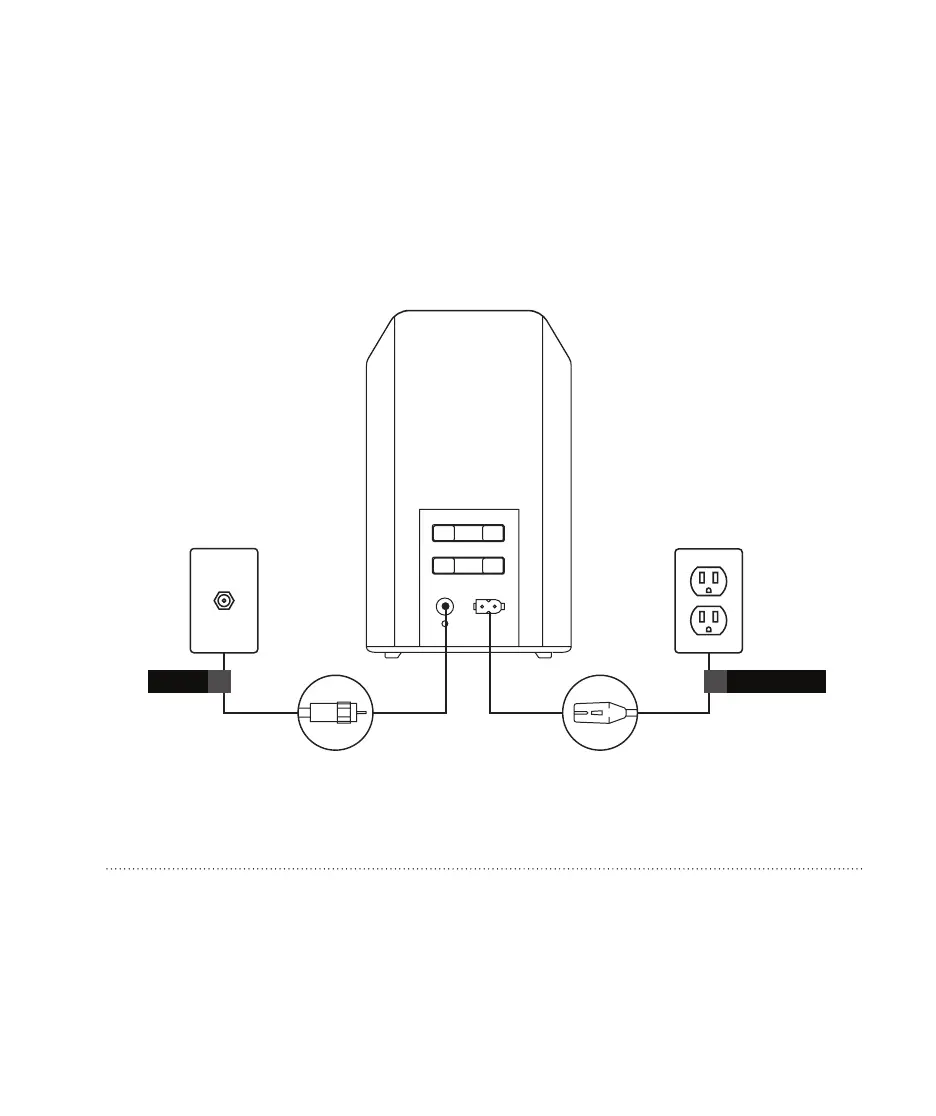
3. Connect your gateway.
Securely connect the provided coaxial cable to the gateway and to the wall outlet.
Plug the power cord into your gateway and into a power outlet not controlled by
a dimmer or wall switch.
COAX
ALIM/POWER
ETH
TEL
Want to use the Internet without using Wi-Fi?
Connect the Ethernet cable to the gateway and plug it into the Ethernet port of the device you want to
connect (the lights next to the Ethernet port on the back of the gateway should turn on).


 To Next Page