24
Part 3: Functions
1. Setting up the piano
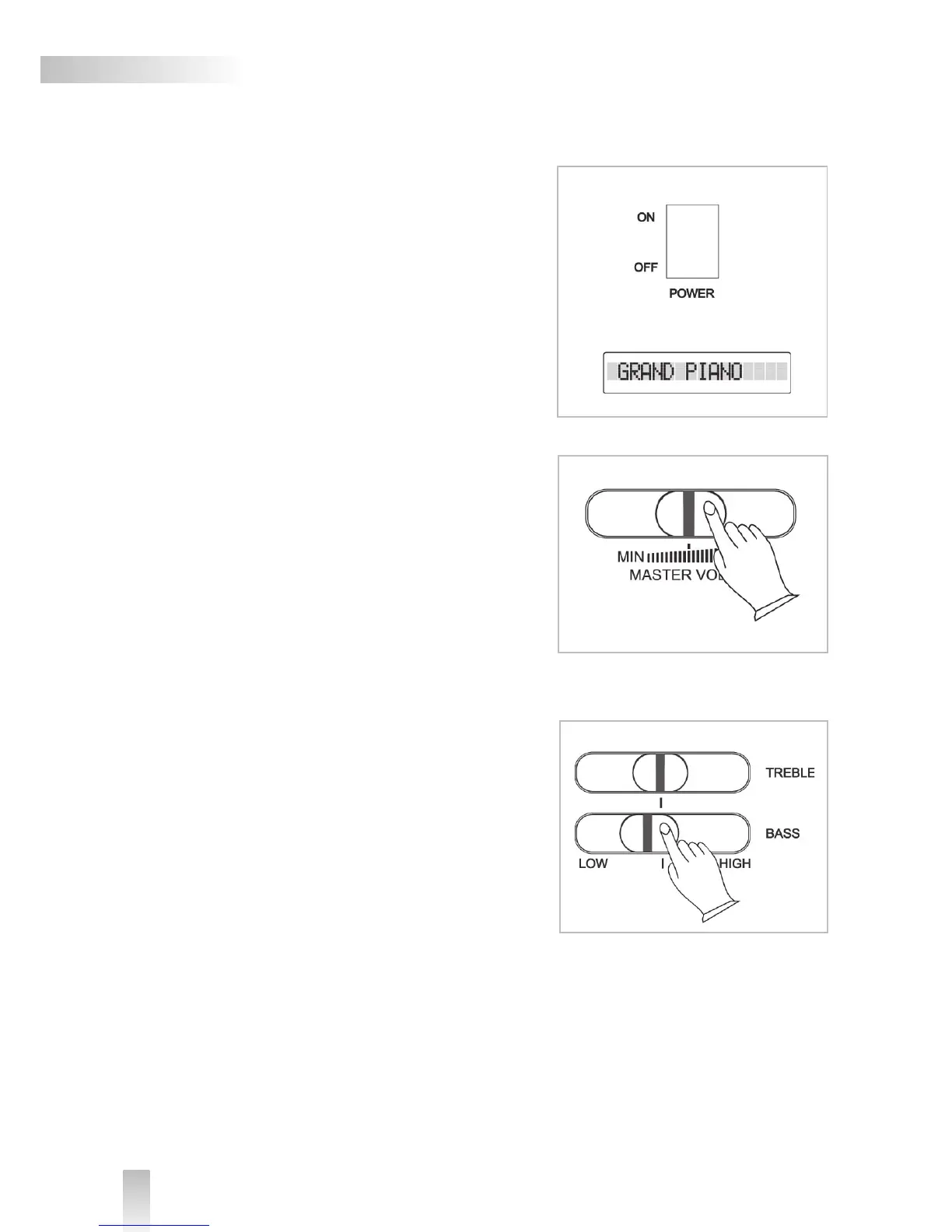
To turn the digital piano on and off, use the POWER switch
located above the keyboard. When the piano is turned on,
the text GRAND PIANO will appear in the LCD-display.
Connect the piano with the power supply to a power socket
carrying the correct voltage (indicated on the rear panel).
Use the enclosed power cord. Never connect the piano to a
power socket that
is also supplying power to electric engines or big domestic
appliances. Always avoid connecting too many electric de-
vices to the same power socket.
2. Adjusting speaker volume
The Hemingway Digital Piano is equipped with a 2 x 20 Watt
amplifier driving an integrated stereo speaker setup, each
side featuring two 3,15“ * 6,30“ speakers. Use the MAS-
TER VOLUME fader to adjust the speaker volume. When the
fader is pushed to the far left, the volume will be turned off.
For maximum volume, push the fader to the far right.
Start playing at low volume and then increase the volume to
desired level. Do not set the speaker volume level too high.
3. Adjusting the sound
The BRIGHTNESS fader can be used to adjust the sound of
the piano. If the TREBLE fader is pushed to the far left the
high frequency of the sound will be decreased, if it is pushed
to the right, the high frequency will be increased. Pushing
the BASS fader to the left will decrease the bass frequency,
turning it to the right will increase the bass frequency.


 To Next Page