Always switch off the mains power supply before making any connections!. Electrical connections should be carried out by a
competent person, if in doubt consult a qualified electrician!
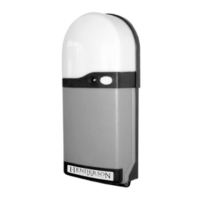
Cables should enter the control unit through the cable glands fitted to the bottom of the RS1 unit.
5.1 POWER - The 240v A/C input should be connected from an adjacent 13 amp 3 pin switched socket.The plug must be fitted with a 5 amp fuse.
Connect to terminals marked L, N, E, MAINS
5.2 MOTOR - Connect the motor lead to the terminals marked E,L1,L2 N3 MOTOR. The blue motor neutral cable must be connected to the
terminal marked N3. Connect the yellow/green earth cable to the terminal marked E.Connect the brown and black motor power cables to terminals
L1 & L2. Ensure that motor direction matches the open and close LED’S if necessary interchange the motor cables at terminals L1 & L2.
5.3 ADDITIONAL LIGHTING - Terminals marked LIGHT, E, L, N, provide a 240 volt ac output which functions the same as the built on light.
Lighting switches on for 4 minutes whenever the door is operated and turns off automatically. Maximum load 200 watts. The output should be
connected to a class 2 double insulated luminaire.
5.4 PHOTOELECTRIC SAFETY BEAM - ANSA RS1 can be connected to one or two photoelectric sensors which must be capable of
operating from a 24v DC supply voltage, and must have a normally closed NPN output signal. If two photocells are used they should be the same type.
OPERATION - The safety beam has no effect on an opening door. Breaking the safety beam prevents closure of an open door, and will also stop
and re-open a closing door.
CONNECTING A SINGLE PHOTOELECTRIC CELL - Remove the factory fitted ling connecting -VE & S1.The supply to the photocell is
connected to the terminals marked -VE & +VE. Connect the output signal to terminal S1, (retain the link connecting S1 & S2).
CONNECTING TWO PHOTOELECTRIC CELLS - Remove the factory fitted ling connecting -VE & S1 and S1 & S2. The supply to the
photocell is connected to the terminals marked -VE & +VE. Connect the output signal from the first sensor to terminal S1. Connect the output signal
from the second sensor to terminal S2.
5.5 OPTIONAL DOOR CONTROLS - A wide range of additional door controls may be connected to the unit, i.e. key switches, push buttons,
digital key pads etc.
IMPULSE DEVICE - A push to make (normally open) push button or key switch can be connected to terminals COM & IMP, this provides an
OPEN - STOP - CLOSE - STOP sequential operation.
STOP PUSH BUTTON - A push to break (normally closed) push button or key switch can be connected to terminals marked COM & STP.
Activation will stop the door immediately regardless of it’s position. If used remove the factory fitted link connecting COM & STP.
DOOR OPEN DEVICE - A push to make (normally open) push button can be connected to terminals COM & OPN. Operation will open the
door or re-open a closing door.
DOOR CLOSE DEVICE - A push to make (normally open) push button can be connected to terminals COM & CLO.To provide a door close signal.
5 - Electrical Connections


 To Next Page