EasyManua.ls Logo

Henny Penny HHC-990 - User Manual

Henny Penny HHC-990
28 pages
Print Icon
To Next Page IconTo Next Page
Loading...
OPERATOR’S MANUAL
Henny Penny
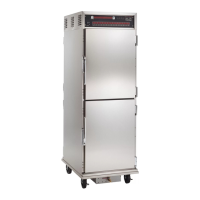
Humidified Holding Cabinets
Model HHC-990
Model HHC-992
Model HHC-993
Model HHC-996
Model HHC-997
Model HHC-998

Questions and Answers

  • M
    Michael SanchezSep 8, 2025
    What to do if Henny Penny HHC-990 Food Saver displays E-54B CPU TEMP SENSOR SHORTED?
    • M
      Michael FritzSep 8, 2025
      If your Henny Penny Food Saver displays “E-54B”, the control should be re-initialized (see Programming Section). Turn the switch OFF, then back to ON. If the error code persists, have PC board replaced.
  • E
    Ethan GonzalezAug 23, 2025
    What to do if Henny Penny HHC-990 displays E-4 CPU TOO HOT?
    • J
      john82Aug 23, 2025
      If your Henny Penny Food Saver displays “E-4”, it means the control board is overheating, potentially due to clogged louvers. First, turn the switch OFF, then back ON. If the error persists, clean the louvers and check the cooling fan. If the fan isn't working, have it replaced. Once the panel cools down, the controls should return to normal. If the “E-4” error continues, the PC board may need replacement.
  • C
    Curtis HarrisAug 25, 2025
    What to do if Henny Penny HHC-990 Food Saver displays E-5 AIR TEMP TOO HOT?
    • L
      Loretta ReyesAug 25, 2025
      If your Henny Penny Food Saver displays 'E-5', it indicates a potential issue with the relay, PC board, or air probe. Begin by turning the switch to the OFF position, then back to ON. If the display continues to show 'E-5', the heating circuits and temperature probe should be checked. Allow the unit to cool down, after which the controls should return to normal. If 'E-5' persists, the PC board may require replacement.
  • T
    Tamara VillanuevaAug 26, 2025
    What to do if Henny Penny HHC-990 Food Saver displays E-18 NO WATER, FLOAT SWITCH FAILED?
    • T
      Thomas GatesAug 27, 2025
      If your Henny Penny Food Saver displays “E-18”, it indicates a problem with the water level or float switch. First, turn the switch OFF, then back ON. Then, check and clean the float switch and the water pan. Also, have the relay and water heater sensor checked and replaced if necessary. Ensure the acorn nuts on the water heater cover are tightened and that there are two complete pieces of insulation under the water heater cover. If “E-18” persists, the PC board may need replacing.
  • K
    Kevin MunozAug 27, 2025
    What to do if Henny Penny HHC-990 displays E-6A AIR TEMP SENSOR FAILED OPEN?
    • N
      newmanmarkAug 27, 2025
      If the display of your Henny Penny Food Saver shows “E-6”, it indicates that the temperature probe should be checked. Turn the switch OFF, then back to ON. Once the temperature probe is repaired or replaced, the controls should return to normal. If “E-6” persists, have the PC board replaced.
  • J
    Jamie Ware MDSep 22, 2025
    What to do if Henny Penny HHC-990 Food Saver displays WATER LEVEL LOW, PLEASE?
    • D
      David CarrollSep 22, 2025
      If your Henny Penny Food Saver displays “WATER LEVEL LOW, PLEASE”, fill the water pan, located at the bottom of the unit, up to the maximum water fill mark. This warning will not shut down the heat or humidity.
  • A
    Andrew JensenSep 16, 2025
    Why is my Henny Penny HHC-990 unit not heating?
    • L
      Lisa JohnsonSep 16, 2025
      If your Henny Penny Food Saver unit isn't heating, it could be due to a blown fuse. In this case, you should change the 15 amp fuse.
  • K
    Katherine SimonSep 18, 2025
    What to do if Henny Penny HHC-990 Food Saver displays PLEASE DE-LIME WATER PAN?
    • C
      cpadillaSep 18, 2025
      If your Henny Penny Food Saver displays “PLEASE DE-LIME WATER PAN”, follow the weekly cleaning procedures. This warning will not shut down the heat or humidity. If the message persists, have the PC board replaced.
  • A
    Andrew CastilloSep 7, 2025
    What to do if Henny Penny Food Saver displays E-54A CPU TEMP SENSOR OPEN?
    • U
      ulewisSep 7, 2025
      If your Henny Penny Food Saver displays “E-54A”, the control should be re-initialized (see Programming Section). Turn the switch OFF, then back to ON. If the error code persists, have PC board replaced.
  • J
    Jamie VegaSep 4, 2025
    Why is my Henny Penny HHC-990 Food Saver unit not reaching set temperature?
    • S
      shawnajensenSep 4, 2025
      If your Henny Penny Food Saver isn't reaching the set temperature, it could be due to a few reasons: the doors being left open or a torn or worn door gasket. Make sure to keep the doors closed except when you need to load or serve food, and replace any door gaskets that are damaged.

Summary

Henny Penny Appliance Limited Warranty

Installation Procedures for Holding Cabinets

Electrical Connection Requirements

Outlines the necessary electrical connections, grounding, and circuit breaker requirements for safe operation.

Operating the Humidified Holding Cabinet

Operating Controls Identification and Function

Describes the various controls on the cabinet panel and their respective functions.

Cabinet Start-Up Procedure

Details the step-by-step process for starting up the humidified holding cabinet.

Holding Product in the Cabinet

Explains how to place and hold product in the cabinet, including timer usage and load capacity.

Programming Cabinet Functions

Troubleshooting Common Issues

Troubleshooting Guide for Cabinet Problems

Provides a guide to diagnose and correct common problems encountered with the holding cabinet.

Understanding Error Codes and Warnings

Explains the meaning of various error codes and warnings displayed by the cabinet and their corrections.

Henny Penny HHC-990 Specifications

General IconGeneral
BrandHenny Penny
ModelHHC-990
CategoryFood Saver
LanguageEnglish

Related product manuals