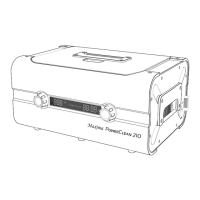
4 - Maxima Advanced Ultrasonic Cleaner MA210
Optional Accessories
Large Stainless Steel Removable
Cleaning Chamber
(8.5” x 8.4” x 3.2”)
570-3803
Stainless Steel Beaker
570-3802
Small Stainless Steel Removable
Cleaning Chamber
(9.0” x 5.0” x 3.0”)
570-3804
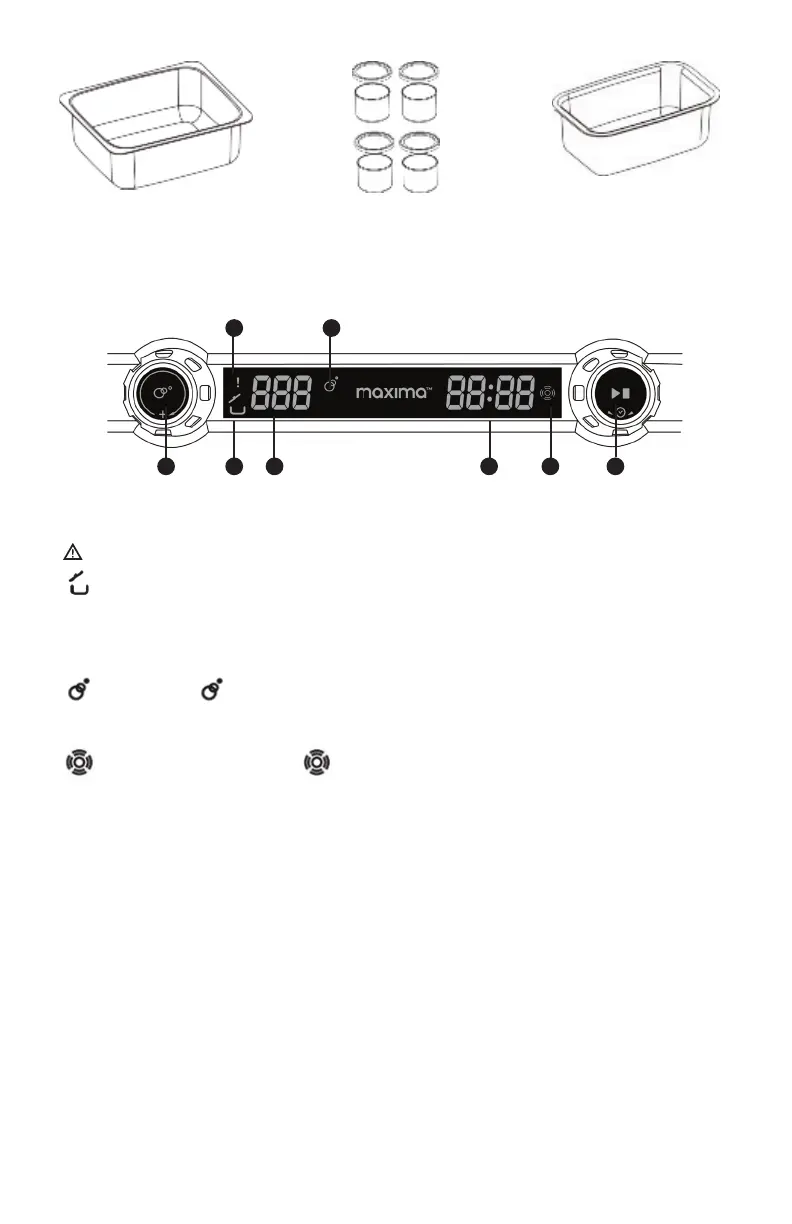
CONTROL PANEL
1
6
3
7
2 5
4 8
1. Degas dial. Turn it clockwise or counterclockwise to select the degas timer setting, either 60, 120
or 180 seconds. This setting determines the automatic and manual degas time. Push in the dial to
start degassing.
2.
Warning. Stop operations and see troubleshooting guide (pg 7).
3.
Open lid warning. The lid should be closed during operation to prevent the spread of
aerosols. The warning symbol helps to standardize operations. The open-lid warning symbol is
illuminated if the unit is not in cycle. Additional warning beeps are sounded if the unit is in cycle.
4. 60, 120 or 180 Degas timer display. It displays the degas timer setting and how much degas time
remains in seconds (s).
5. Degas status. fl ashes, indicating degas is underway.
6. 05:00. Ultrasonic time display. It displays the timer setting and how much time remains in the
ultrasonic cleaner operation.
7.
Ultrasonic cleaning status. illuminated, normal cleaning is under way.
8. Set time dial/start and stop. Rotating either clockwise or counterclockwise can set the timer to
5 settings: 5:00 – 7:30 – 10:00 – 12:30 – 15:00 mins. Once the timer is set, push in the dial to start.
SETUP
1. Place your ultrasonic cleaner in a desired location on a dry fl at surface next to a sink.
2. Connect the hose. Connect one end of the drain hose to the drain valve and place the other end
in the sink. The drain valve is located behind the unit on the right side.
3. Plug In the unit. Attach the power cord into the back of the unit. Ensure that it is properly at-
tached and that the cord is undamaged. Drainage spout at rear. Drain hose can be oriented left
or right.
4. Turn unit on. The power switch to turn the unit on is located in the back of the unit on the left
side just above the power socket.



 To Next Page