Product description and specifications Assembly
03 04
4. Assembly
(1)
(2)
(4)
(3)
(5)
(6)
Product code
Operating temperature*
Storage temperature
Protection rating
Weight, approx.
SC-P100
-20 ~ 60°C
-20 ~ 60°C
IPX5
83g
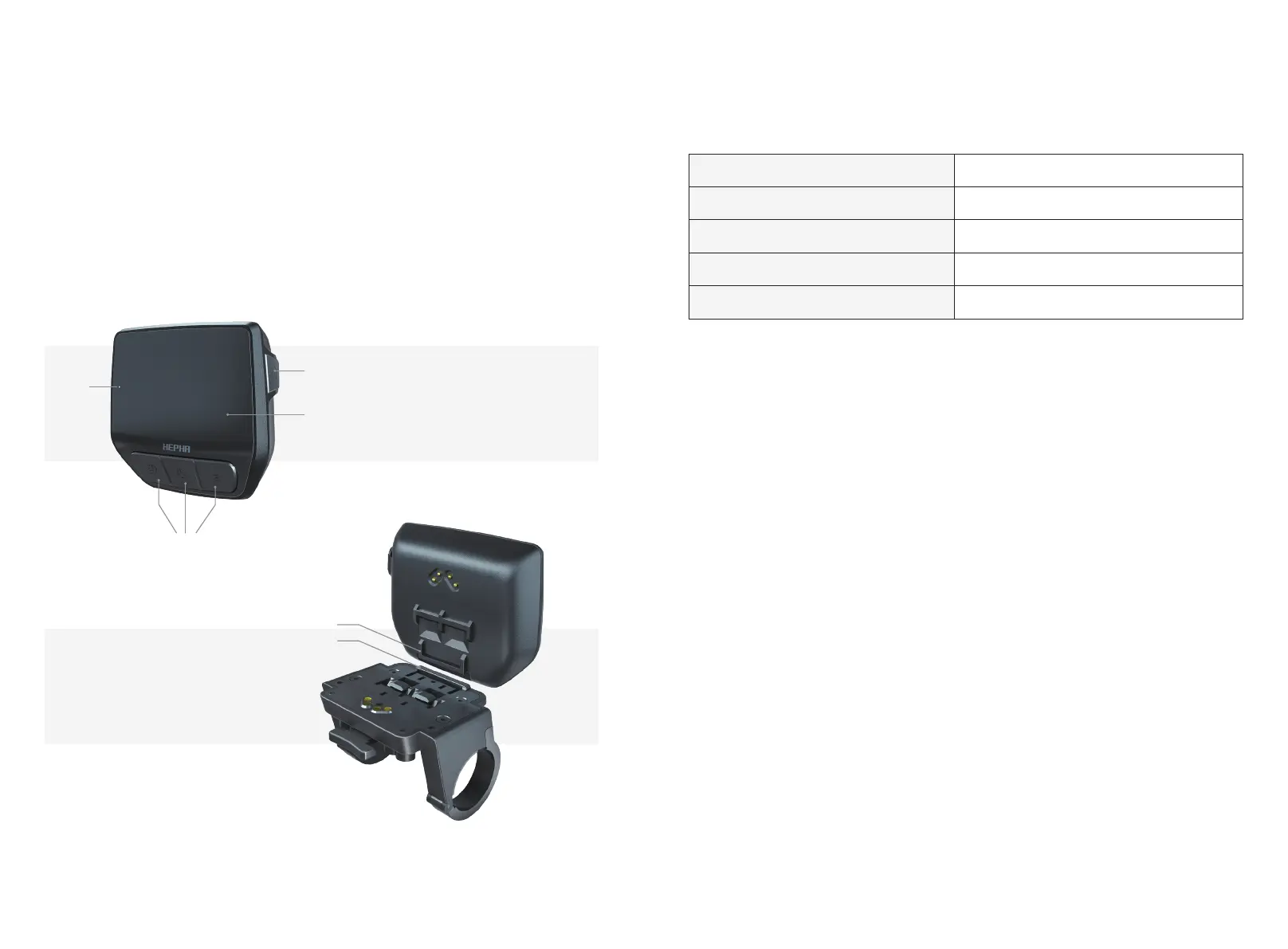
Display Hepha P-100
(1) Type-C interface
(2) Screen
(3) Buttons
(4) Light sensor
(5) Display contacts
(6) Holder contacts
4.1. Install your display
Take the display from the toolbox. Position the lower end to the display holder
correctly, press the upper part onto the holder, and you'll hear a "click".
When parking the bike, remove the display by pressing the raised part of the
display holder. Take the display away.
Note: Your bike has activated the Bike Lock Function by default set. That means
your display is the key to your bike. Remove the display and the motor will be
automatically deactivated. To unlock it, install the same display on the bike, and the
motor support will be reactivated. The display shows the Locked status when
motor it is activated or deactivated support through the Lock function.
Install/remove the display
3. Product description and specifications
3.1 Intended use
3.3 Technical data
3.2 Product features
The Hepha P-100 display is designed to illustrate cycling data.
To access the full functionality of the Hepha P-100 display, you will need a compatible
smartphone installed with the Hepha APP (available from the Apple APP Store or the Google
Play Store).
* Temperatures outside this range may cause the display to malfunction.



 To Next Page