10
Operation Operation
09
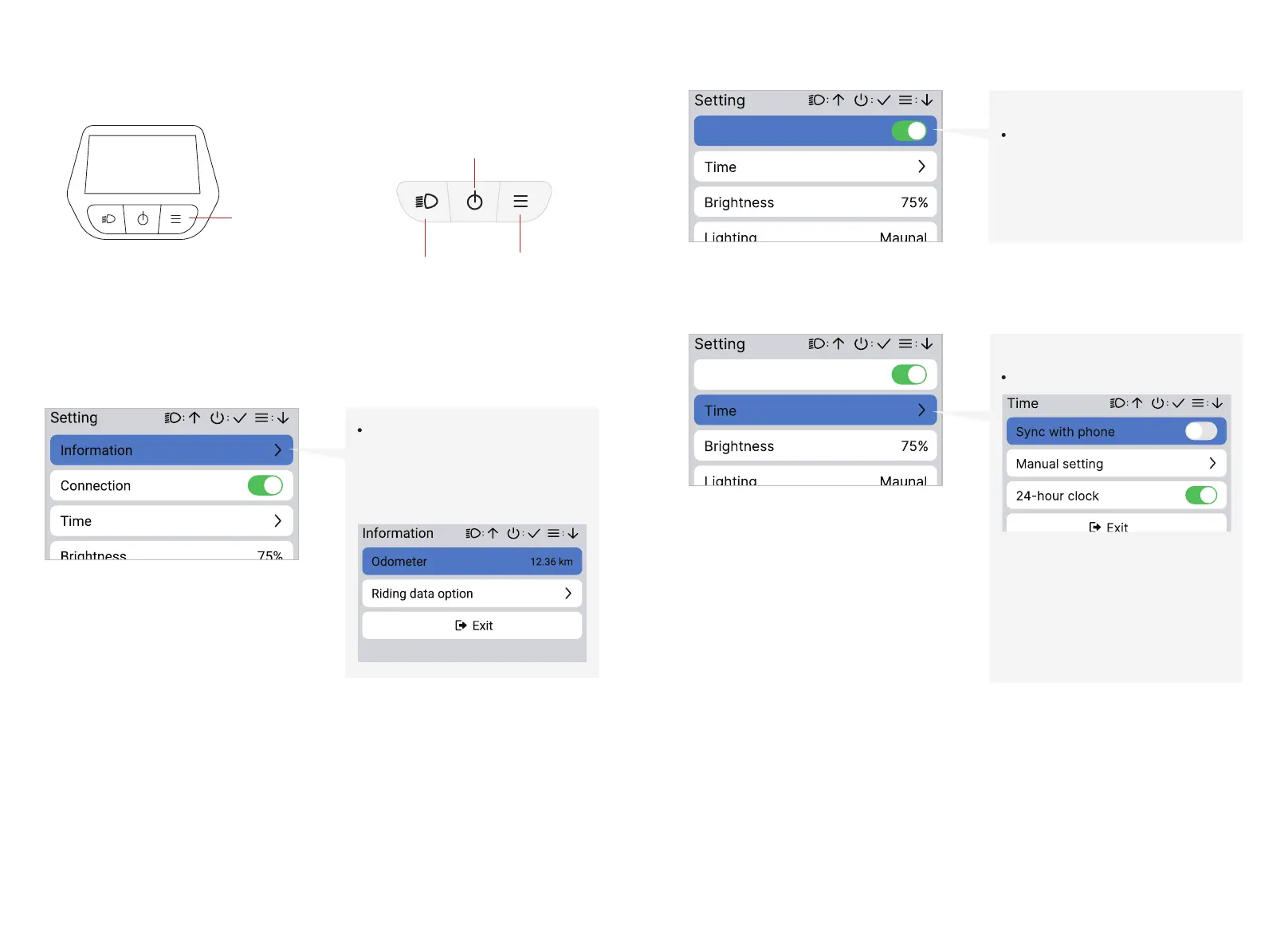
Long press the MENU button on any level 1
page can enter into the setting page rompt
page:
Enter setting page On setting page:
5.2.5.1 Level 2- settings
MENU button
Light button:
Page up
power botton:
confirm
Menu botton:
Page down
Connection
Connection
Press confirm to change:
Connection on/off
Connection
Press confirm to change:
• Sync with phone (ON/OFF)
• Manual Setting
• 24-hour clock (ON/OFF)
Time
Press confirm to view your total
ride distance or change the
calculation option.
Information



 To Next Page