EasyManua.ls Logo

hergom ADDA 8 - Page 9

hergom ADDA 8
130 pages
Print Icon
To Next Page IconTo Next Page
To Previous Page IconTo Previous Page
Loading...
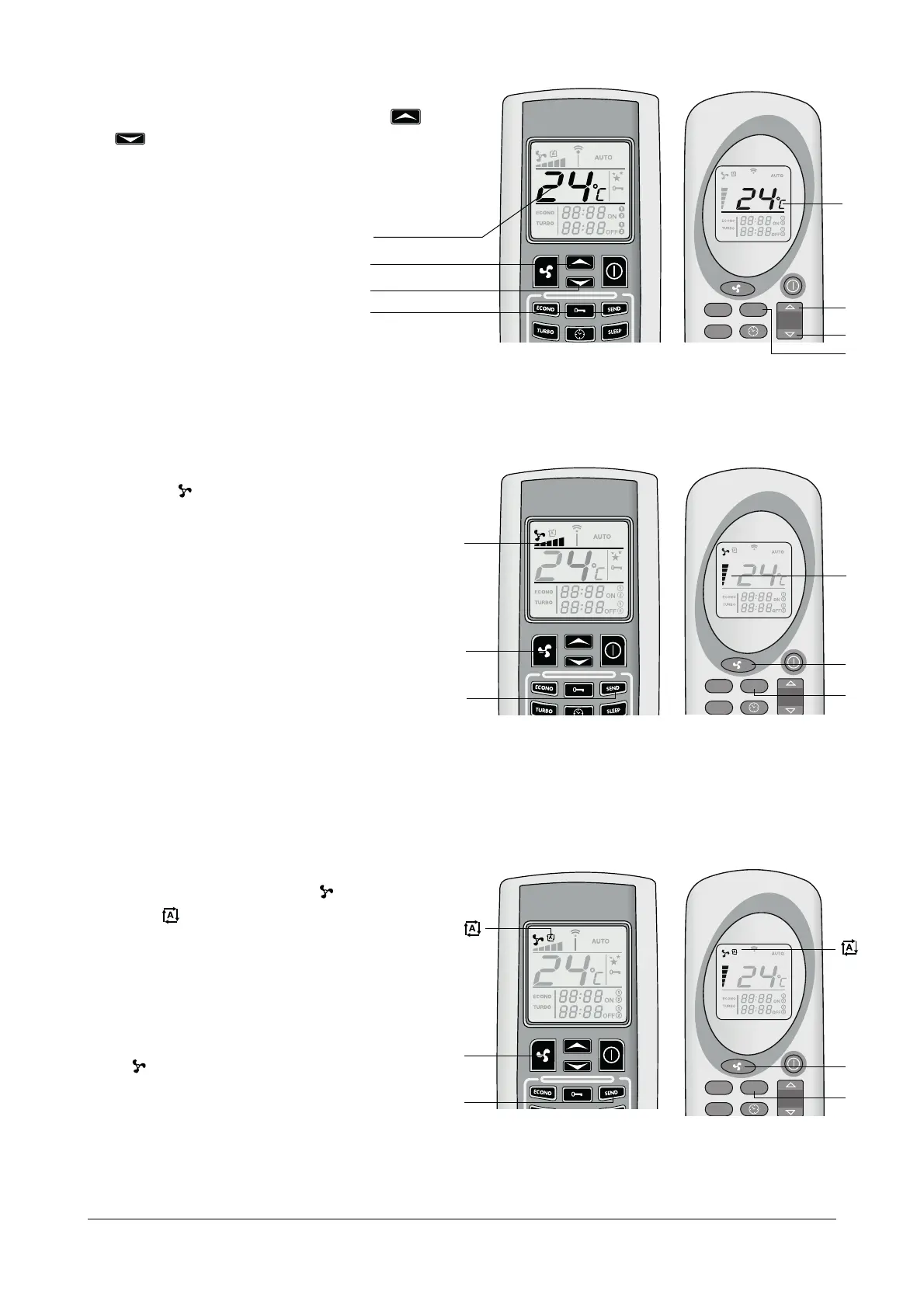
How to change the temperature
฀฀฀฀฀฀฀฀฀
฀฀฀฀฀฀฀฀฀฀
฀฀฀฀฀฀฀฀฀฀฀
the wished temperature, confirm your selection pressing
฀฀฀
How to change the power
฀฀฀฀฀฀฀฀฀฀฀฀฀฀
฀฀฀฀฀฀฀฀฀฀
฀฀฀฀฀฀฀฀฀฀฀
฀฀฀฀฀฀฀฀
฀฀฀฀฀฀฀฀
board of the stove according to the selected power.
฀฀฀฀฀฀฀฀฀
฀฀฀฀฀฀฀฀฀
derstand how the stove works in this mode.
Automatic Power Function
฀฀฀฀฀฀฀฀฀฀
฀฀฀฀฀฀฀฀฀฀฀฀฀฀฀
฀฀฀฀฀฀฀฀
room temperature on the control board of the stove.
When you select this mode, the pcb will set the working
power automatically according to the difference in de
grees between the set temperature and the temperature
idientified by the sensor on the back of the stove.
Press once more, select the wished power and press
฀฀฀฀฀฀฀
ECONO
TURBO
SEND
ECONO
TURBO
SEND
3
฀
ECONO
TURBO
SEND
3
3

temperature
3

Related product manuals