Need help?
Do you have a question about the Herman Miller Ambi and is the answer not in the manual?
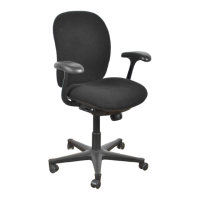
Adjust chair height using the lever on the right side to ensure feet rest flat on the floor or footrest.
Modify tilt resistance with the knob under the seat to enhance stability and back support during recline.
Lock the chair in upright, semireclined, or reclined positions using the knob on the front left side.
Position the seat forward for computer-intensive work using the locking knob on the front left side.
Use the button under the right side of the back cushion to raise or lower the back for spinal support.
Adjust seat depth using the lever on the left side for comfortable thigh support.
Use the small lever under each armpad to raise or lower the arms to a desired height.
Adjust arm angle using the lever under each armpad to support various work postures and shifts.
Regularly inspect chair components and fasteners to ensure structural integrity and proper function.
Users should retain this information for future reference regarding chair usage and care.
 General
| Brand | Herman Miller |
|---|---|
| Model | Ambi |
| Category | Indoor Furnishing |
| Language | English |

 To Next Page