1. SEAT HEIGHT:
Lever next to tilt tension knob,
right side of chair
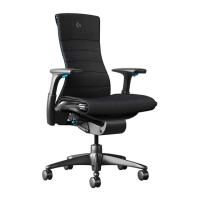
Adjustment Guide1Vantum Gaming Chair
Get the most out of your chair by
ne-tuning its highly technical adjustment
features so you can sit exactly how you
want. Get situated at your gaming setup,
sitting the way you usually do, and follow
these steps to enjoy a healthier, more
comfortable gaming experience.
2. TILT TENSION:
Knob below right side of seat
TO INCREASE TENSION:
Turn knob clockwise.
TO DECREASE TENSION:
Turn knob counterclockwise.
TO ENGAGE:
Recline and move tab up to dene
the limit of recline.
TO RELEASE:
Lean forward and flip tab
fully downward.
3. TILT LIMITER:
Knob below le side of seat
ADJUSTMENT GUIDE
VANTUM
™
GAMING CHAIR
TO RAISE:
Take your weight o chair,
li tab up.
TO LOWER:
While seated, li lever up.
At the proper height, your feet should
rest flat on the floor.

 Need help?
 General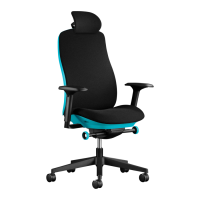

 To Next Page